

I stopped opening ChatGPT.
For months.
Claude became my main work brain. I wrote about it. I told you to switch. I meant it. From December to April, it was obvious.
Then this week happened.
-
ChatGPT got better at images. Actually, the best at images.
-
Then search, and coding, and writing.
-
Then Google Sheets.
It all happened in 3 days, as I was writing new guides for you.
I know you will hate me for this, but choosing the right AI isn’t easy.
Because everyone wants one AI.
One tab. One invoice. One clean answer they can give their boss.
I get it.
But AI companies are fighting with billions of $ to get you.
My job is to test them all, resist the hype, and only share practical how-to guides.
And today, my stack evolved a little:
Claude for work.
ChatGPT for images, search, and Google Sheets.
Gemini for non-English work.
Gamma for presentations.
Not a forever stack, but that’s the stack.
Now you can stop reading this newsletter:
✦ if most of your job is to simply write things (contracts, briefs, copies, memos) → Claude Cowork is still king.
✦ if you care a lot about images, search & spreadsheets → the new ChatGPT is back at the (very) top.
But if you want to understand the how (no one cares about the why, people want to know how to use AI in their real life), keep reading. I’ll be efficient.
You’ll get:
-
The rule I use to pick the right AI.
-
The exact prompts I’d test first.
-
How to set this up in 30 minutes.
Before we start: save this guide and block 30 minutes this week to act on it.
And send it to someone who keeps asking which AI they should use.
PS: This newsletter grows from your shares. Sharing is free & keeps these guides free, too.
If your company pays for Claude Enterprise, use Claude properly.
If your company pays for ChatGPT Enterprise, use ChatGPT properly.
If your company pays for both, use both.
If you can afford both (and you’re the CEO paying), pay for both.
If you don’t write in English, I can’t help you. I only know English & French. And I wouldn’t trust benchmarks online. The real benchmark is you testing the model.
But Gemini seems to be winning most of the time:
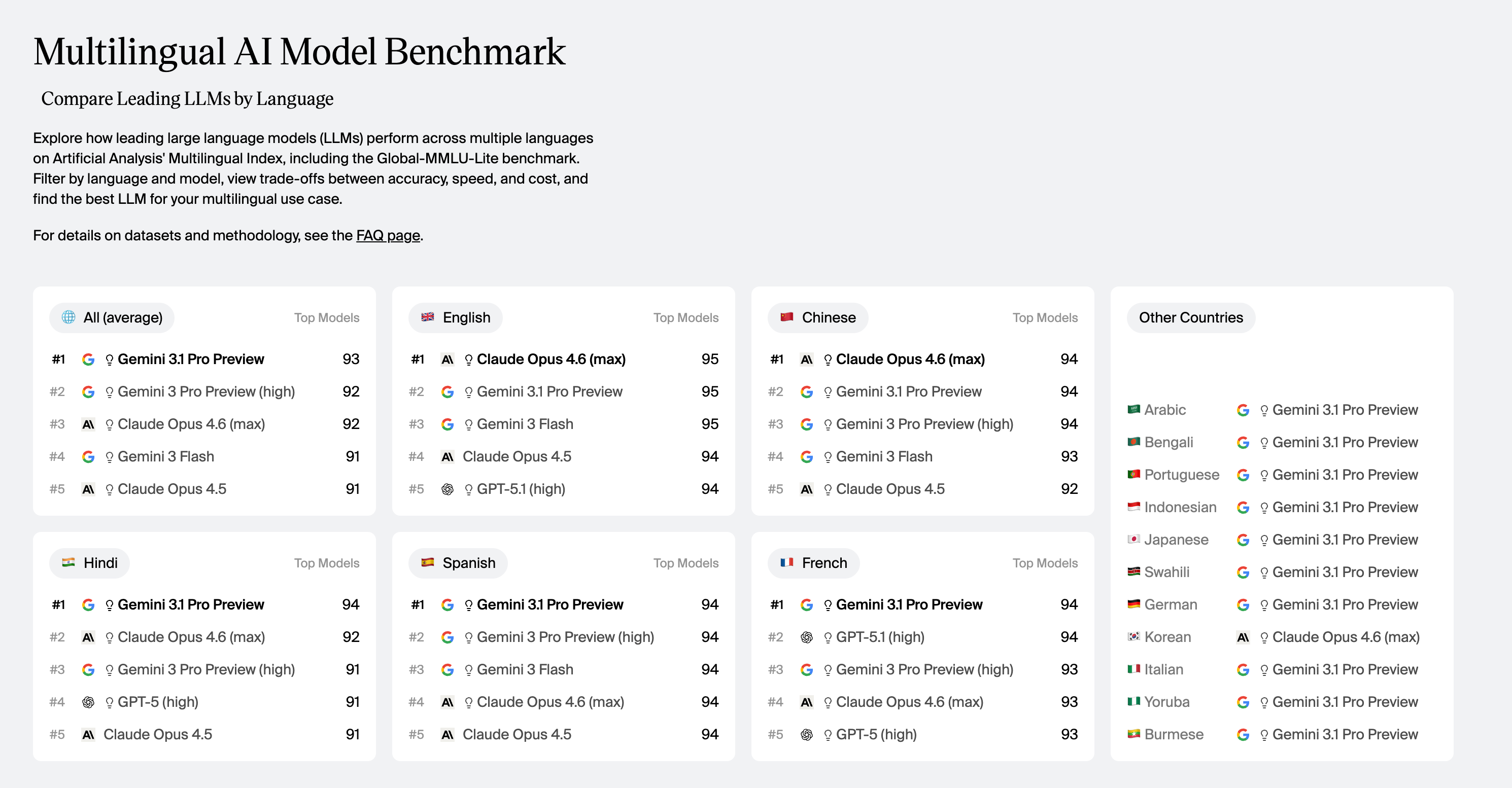
I know you’re not happy to read this. You read me to cut through the noise.
But the market doesn’t care about our need for simplicity.
Models are shipping like crazy. And it won’t stop anytime soon.
The following sections are designed to help you (1) decide and (2) know the how.
Claude is still my default. Especially Claude Cowork.
The reason is boring: folders.
My folders have my files, acting like super-prompts to keep doing the work well and reliably. And I point Claude to this folder on my computer.
Inside that folder, I have files like:
-
about-me (who am I, what do I hate and love),
-
my-company (what do we do, our mission and goals),
-
skills (shared with my team to keep doing the same thing, like /linkedin-caption).
-
claude outputs (nothing here, but just claude’s work)
Claude reads the files before answering. It has all of the context needed.
And context is the whole game, so you don’t repeat yourself forever.
Here is the (only) prompt I use:
I want to do [TASK] for [SUCCESS CRITERIA].
But first, read my folder and use AskUserQuestion tool.
AskUserQuestion = a tool where Claude is the one prompting you.
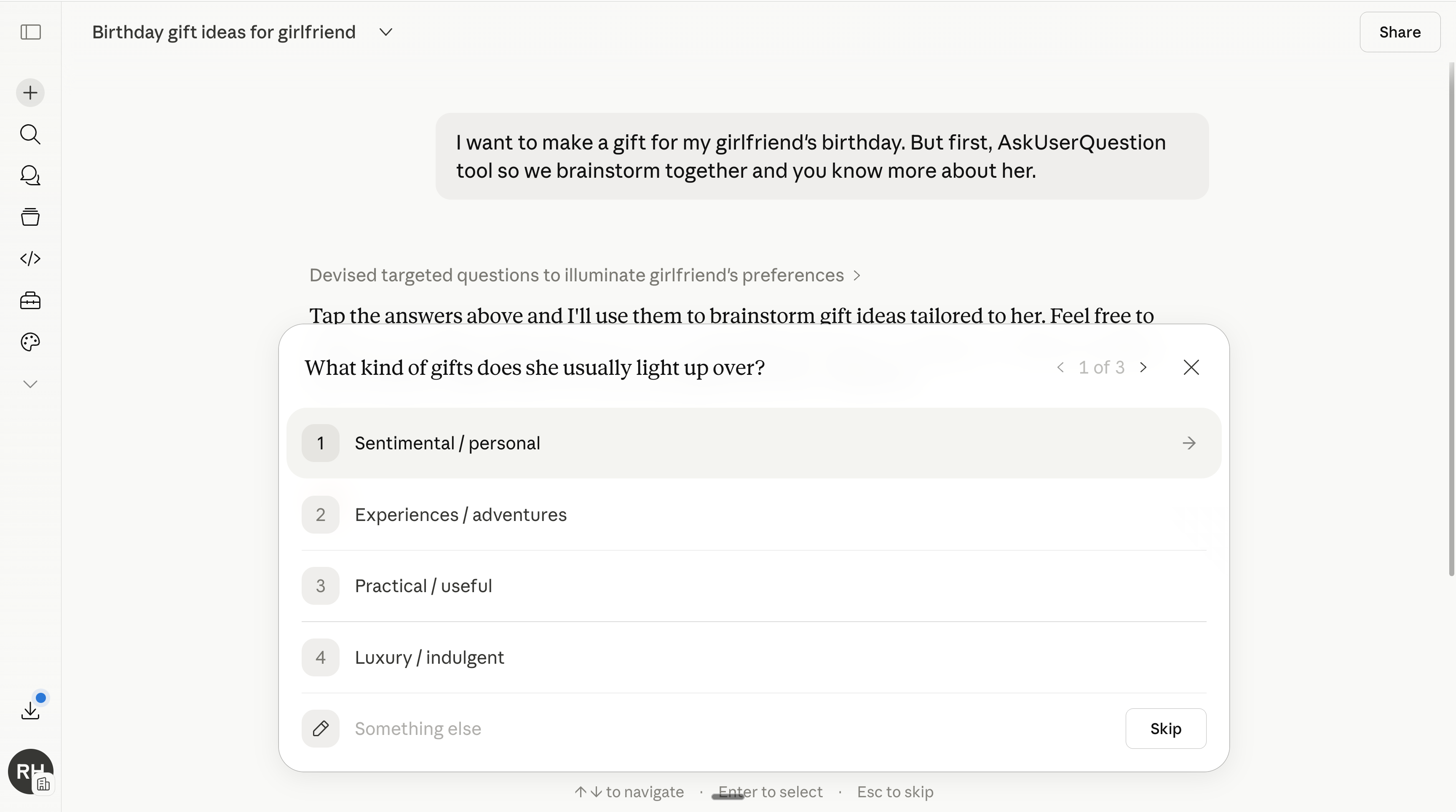
That prompt is simple. It’s also probably better than 100 “magic prompts” you saved and never used again.
And my Claude is connected to my entire stack of tools: Gmail (emails), Slack (team discussion), Notion (where my writing lives), Granola (meeting notes)…
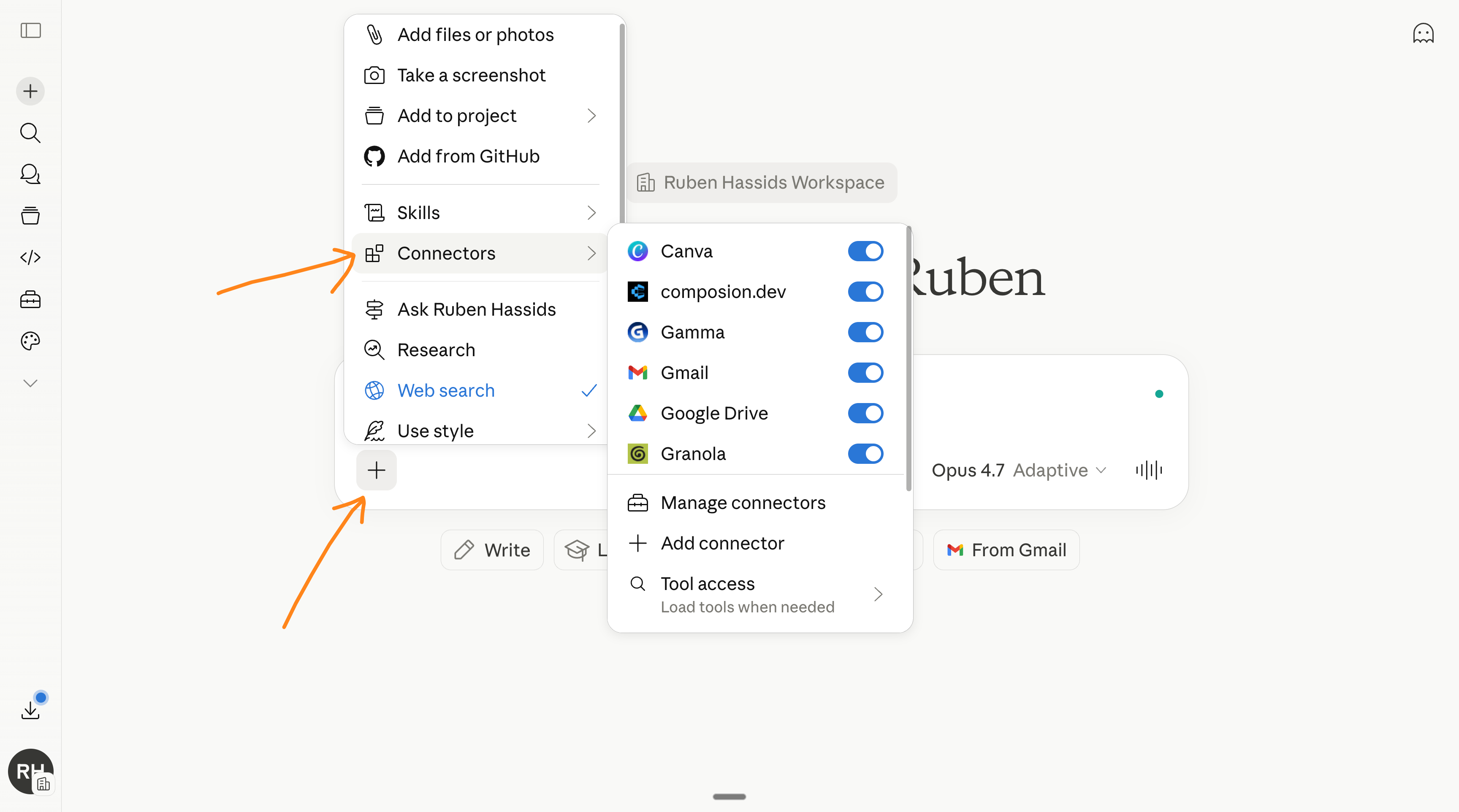
It was all so simple from December to April because Claude was the answer to everything. But starting today, ChatGPT is back.
I didn’t expect to write this sentence so soon.
ChatGPT is back.
And the thing that pulled me back first was images.
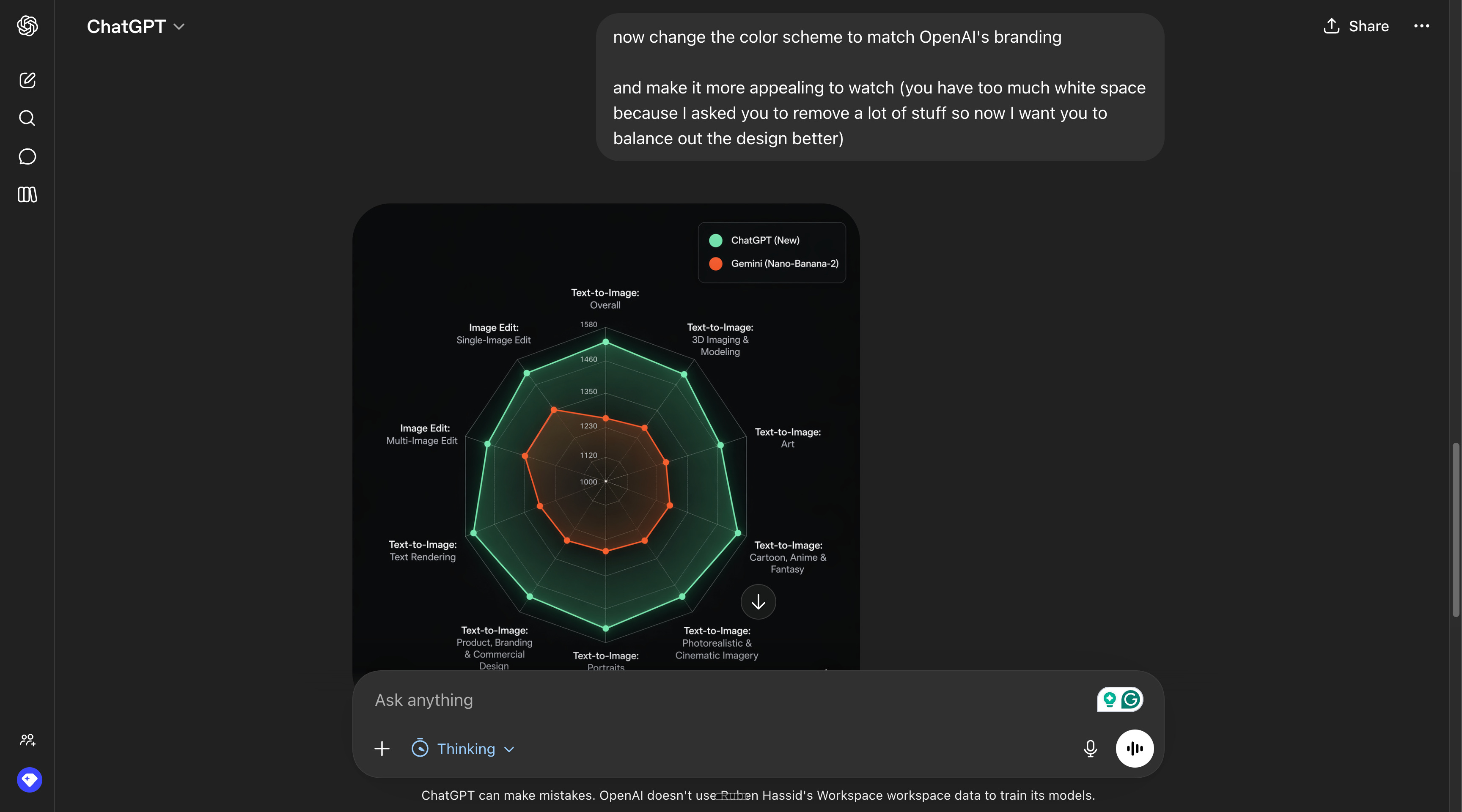
Their new image release is better than any other AI:
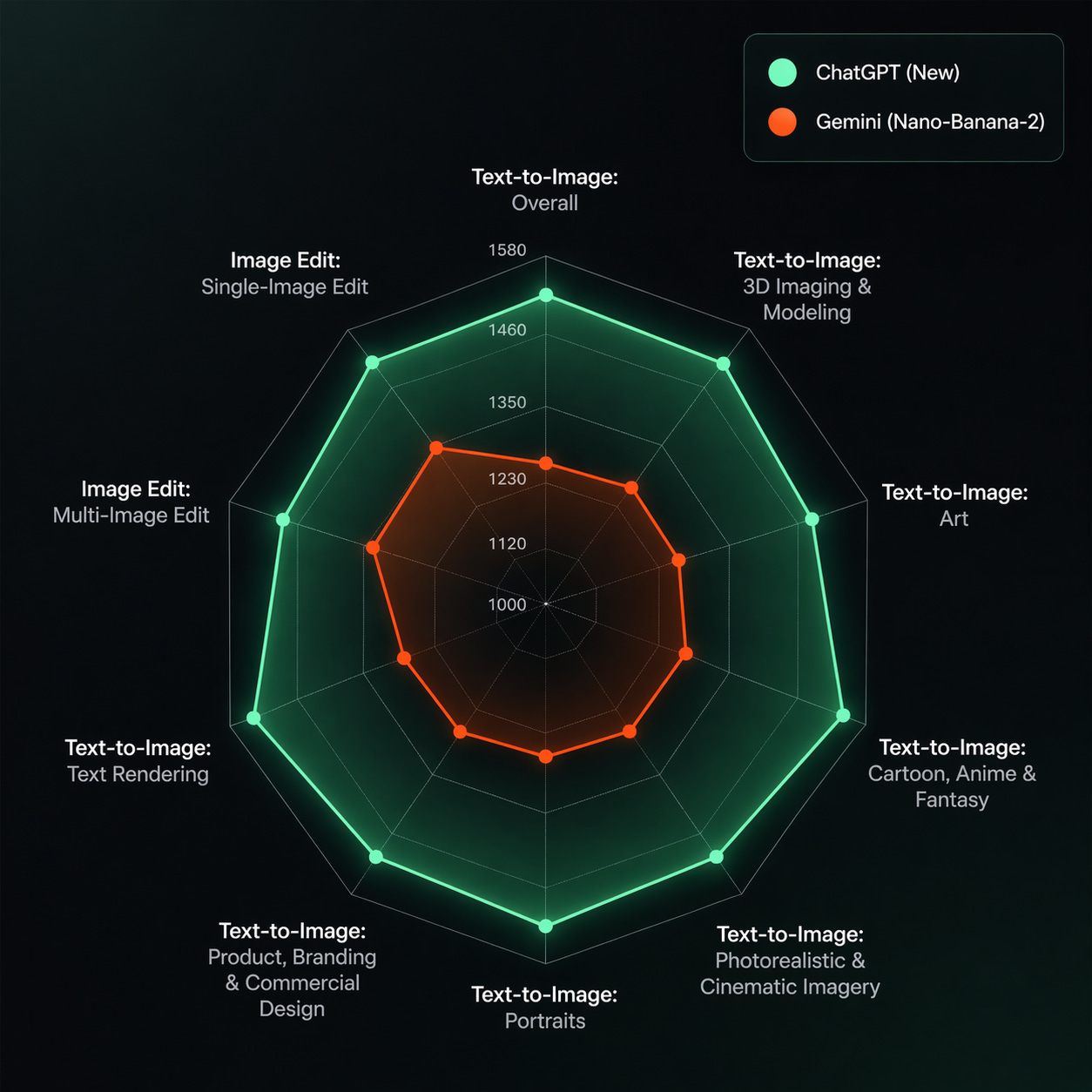
And if you’re asking, yes, I used ChatGPT to make this image:
-
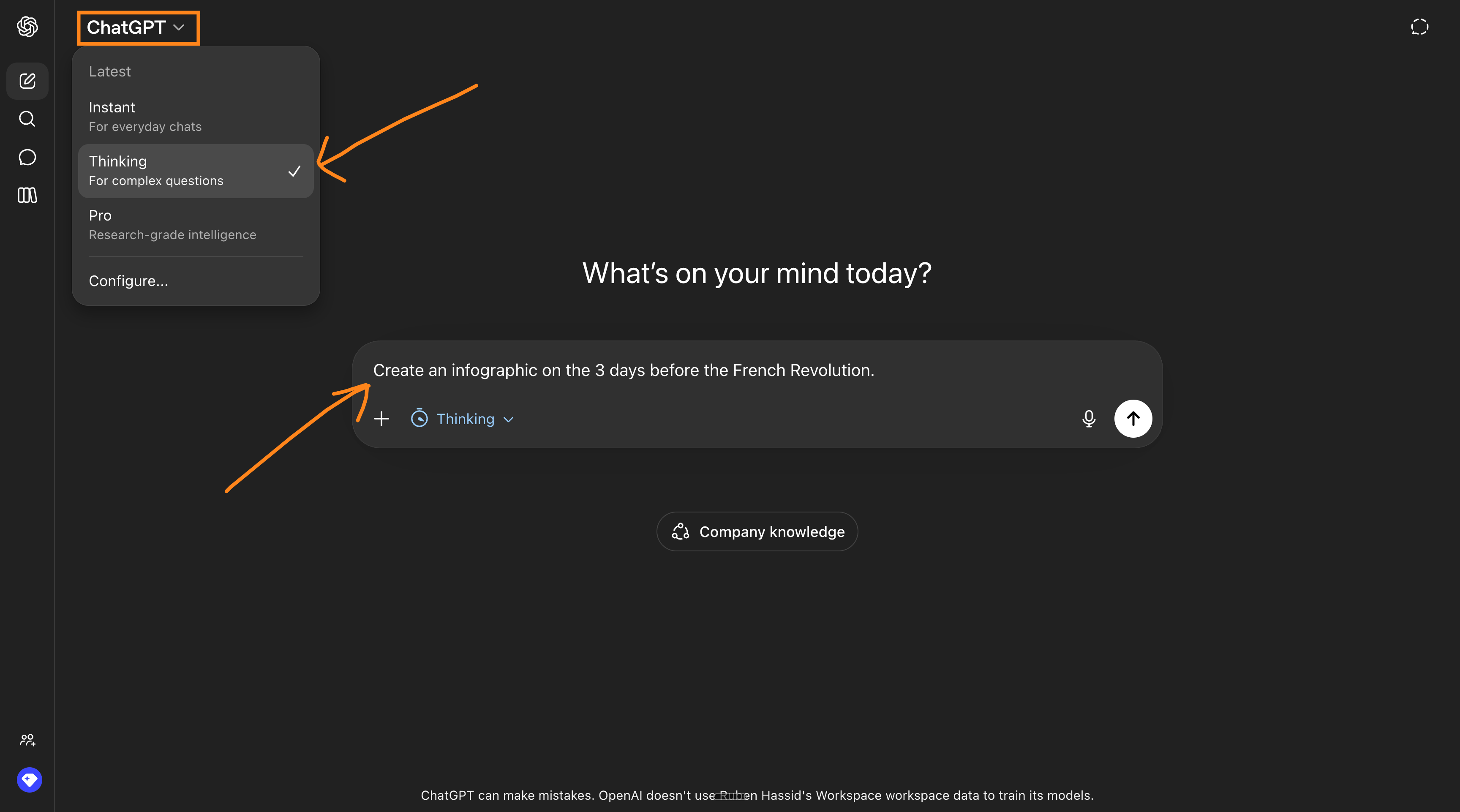
Go to chatgpt.com.
-
Make sure to turn on “Thinking”.
-
Give it a prompt, and that’s it. You’re using the new ChatGPT:
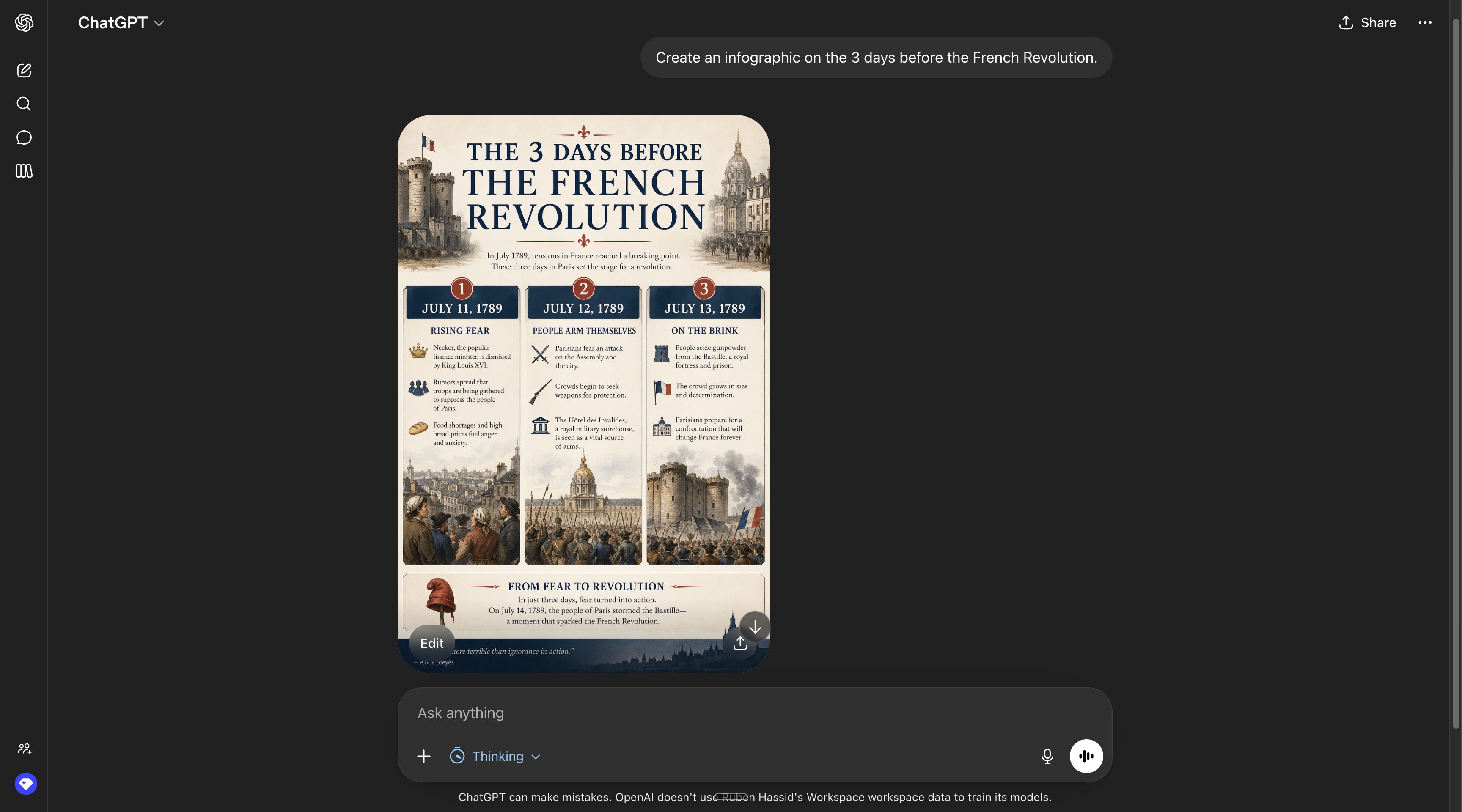
This is a new kind of model. Definitely a leap.
Here are the best prompts I could find from my own tests & the internet.
Prompt #1: An entire brand guideline.
[UPLOAD IMAGES AND THEN PROMPT] Create a multi slide brand deck for this brand. include social media templates and website mockups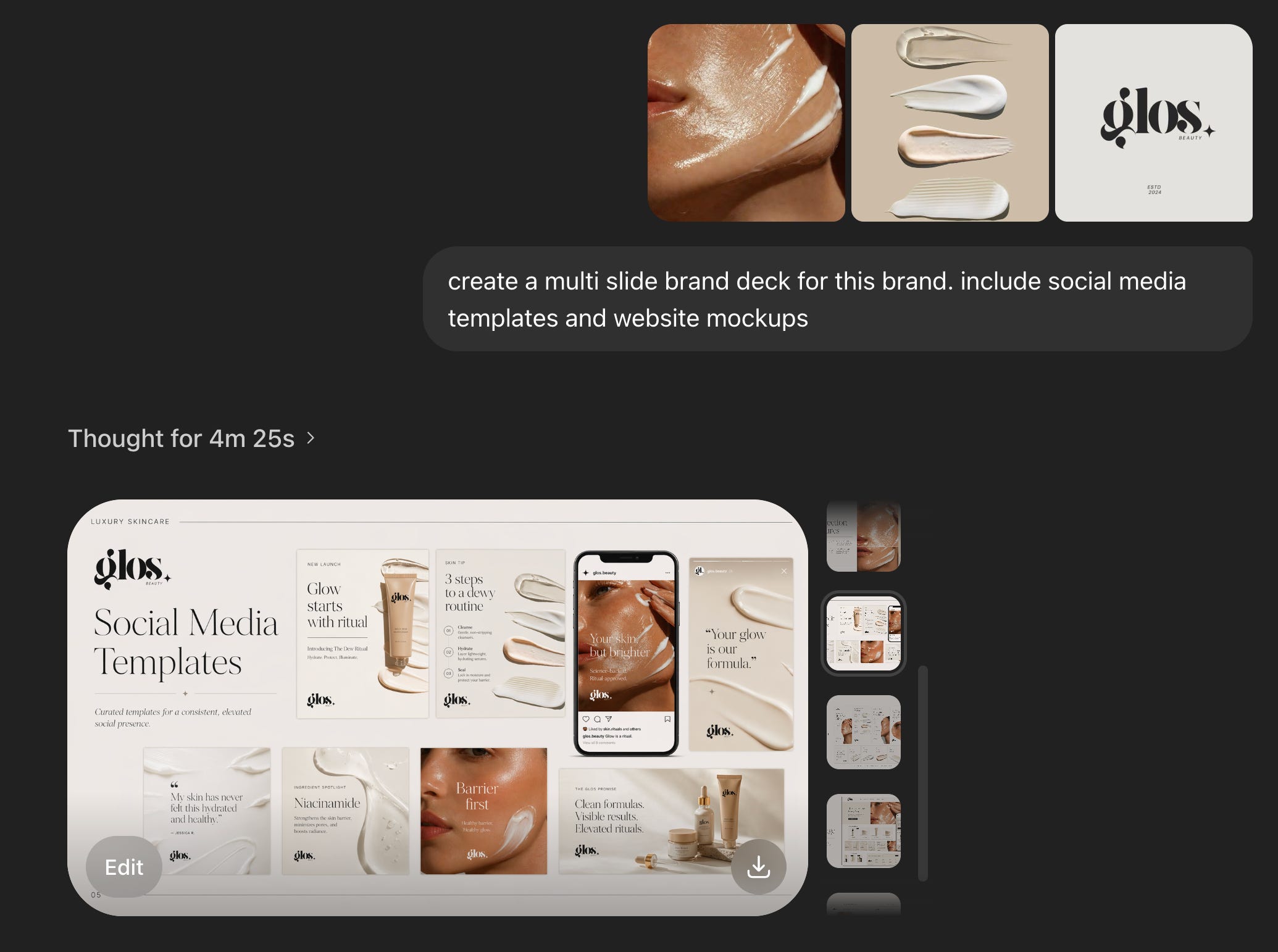
Prompt #2: Make an infographic… in French.
Technical diagram for Gastroenterology, in French. Something worthy to put on a doctor's office.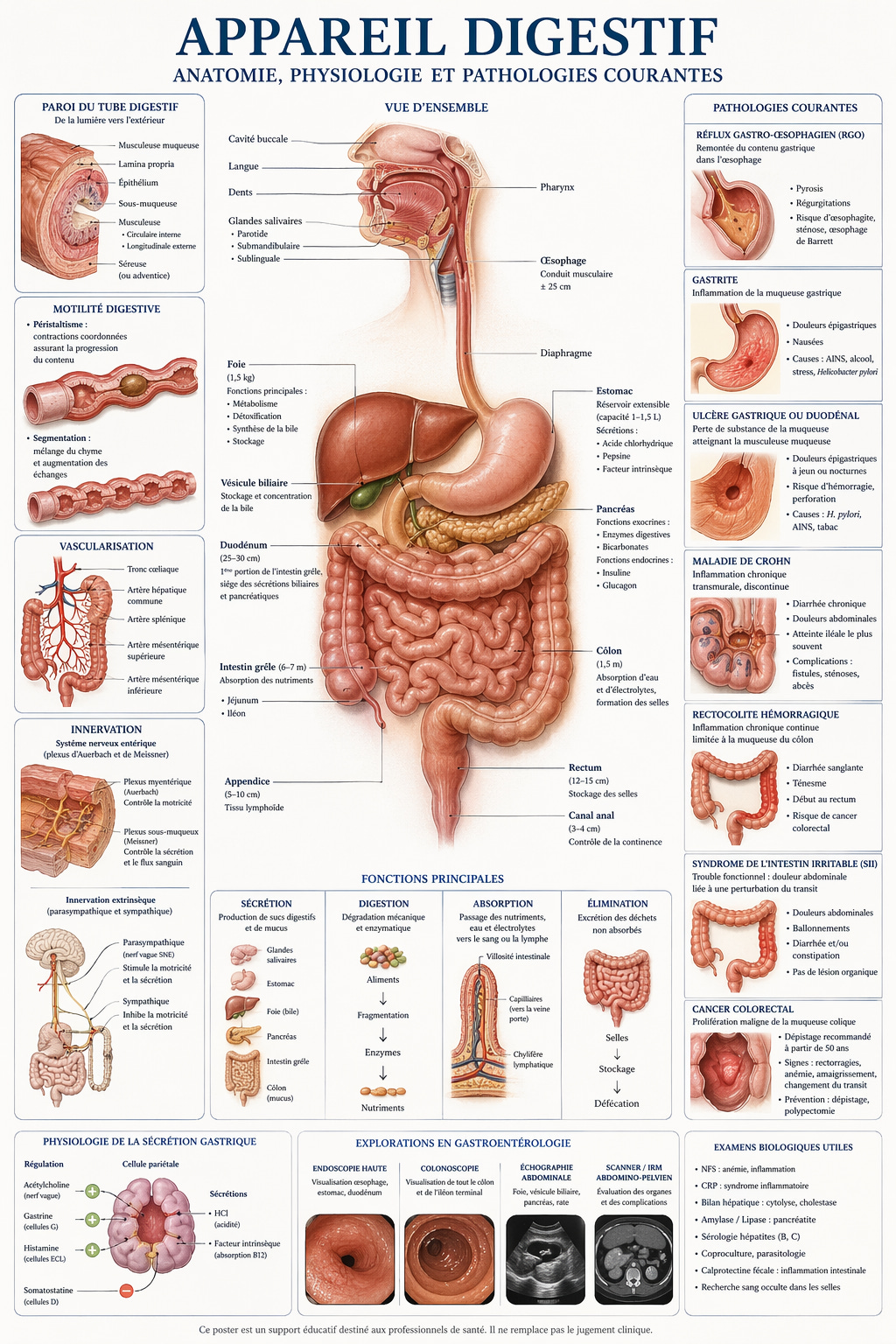
Worth noting: ChatGPT now designs in many, many languages.
Prompt #3: Posters in the street.
Make a wheatpaste poster setup on a brick wall in sf featuring posters from various AI labs.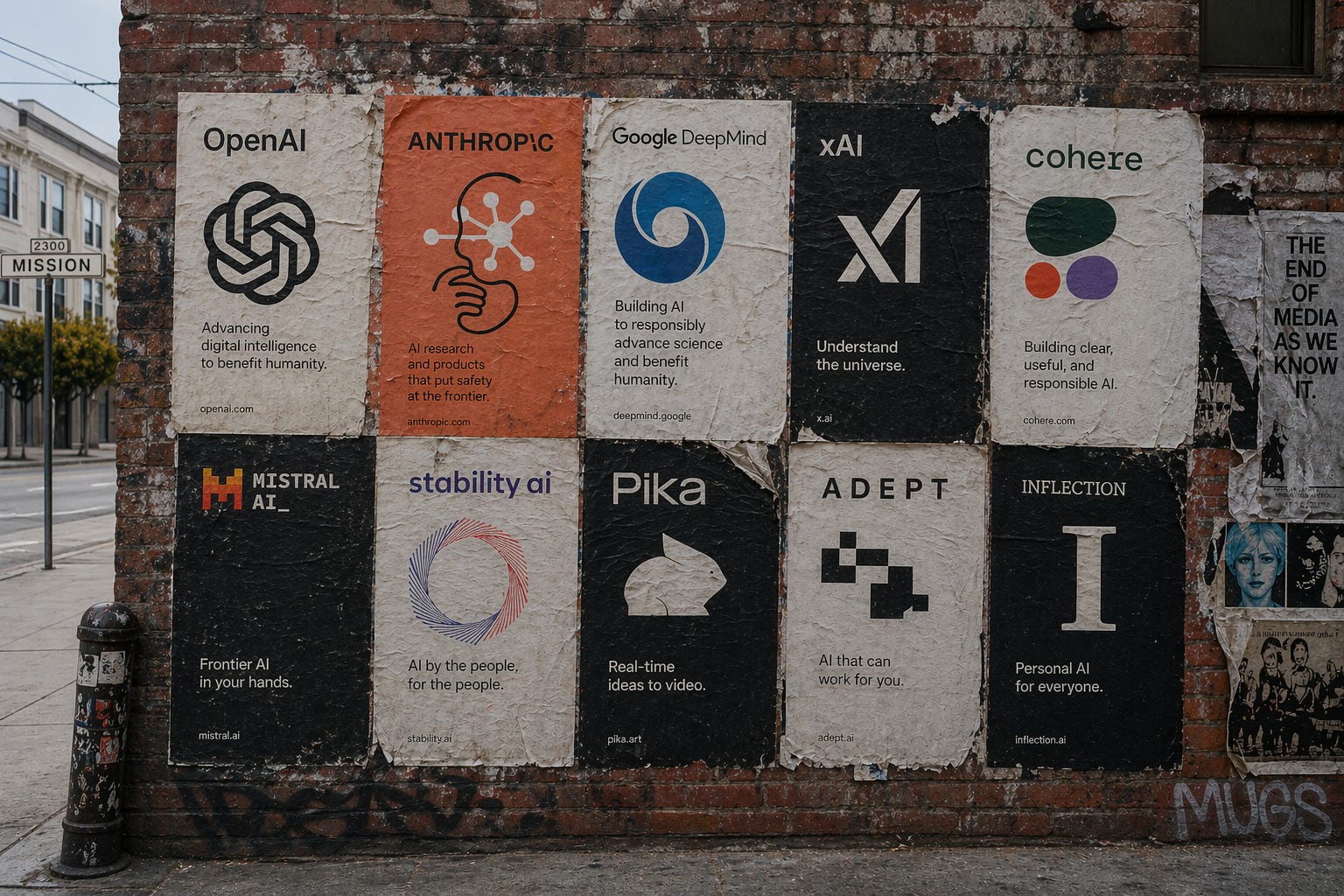
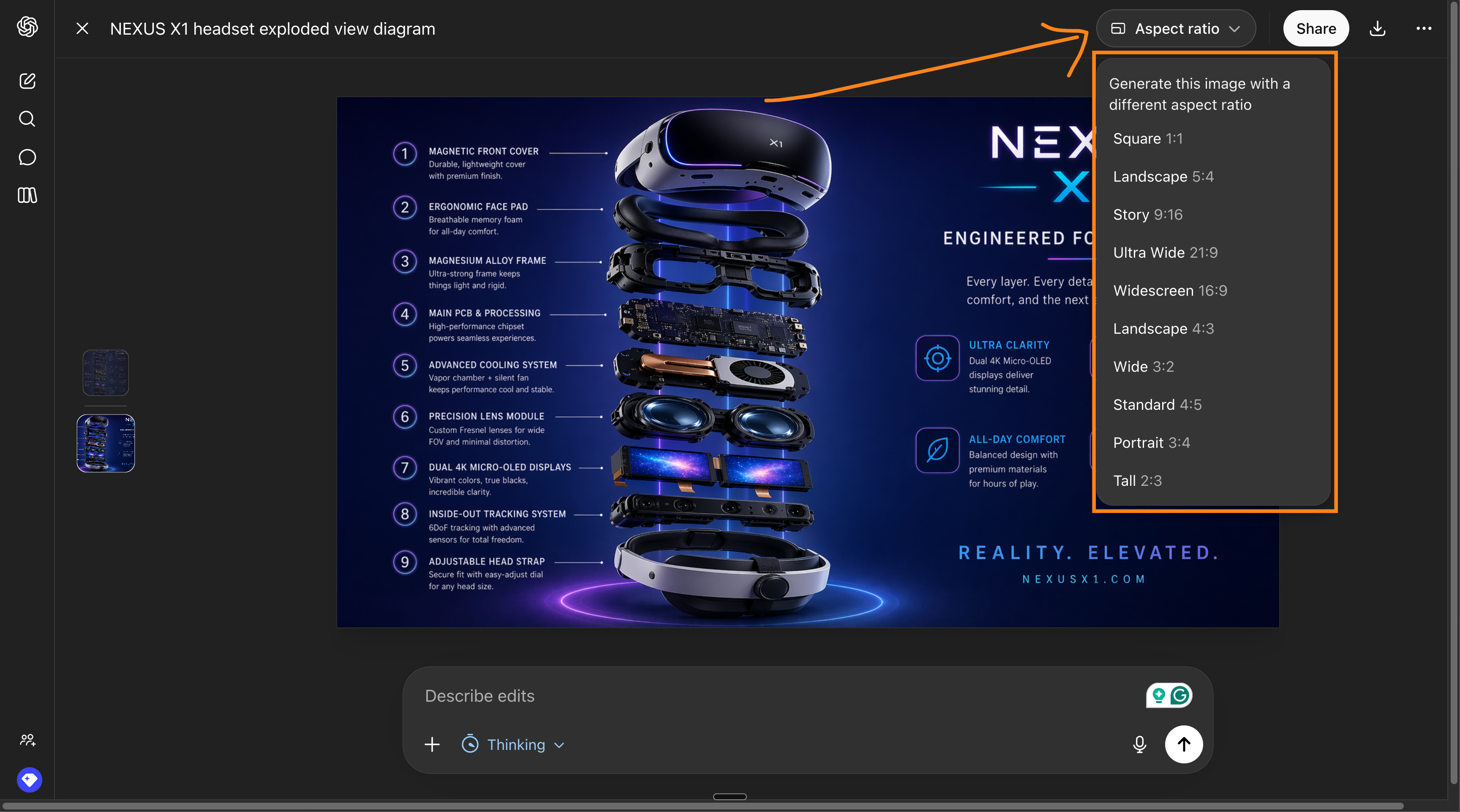
Prompt #4: Marketing in every ratio.
Generate a high-tech VR headset exploded view with detailed component labels and promotional copy. Clean high-tech 3D rendering, studio lighting, glowing accents, soft purple-blue gradient background. Vertical stacked exploded view of 9 layers with precise callout labels on left and right sides. Ratio: landscape.
Change the ratio. You can click on any design and change the ratio inside ChatGPT.
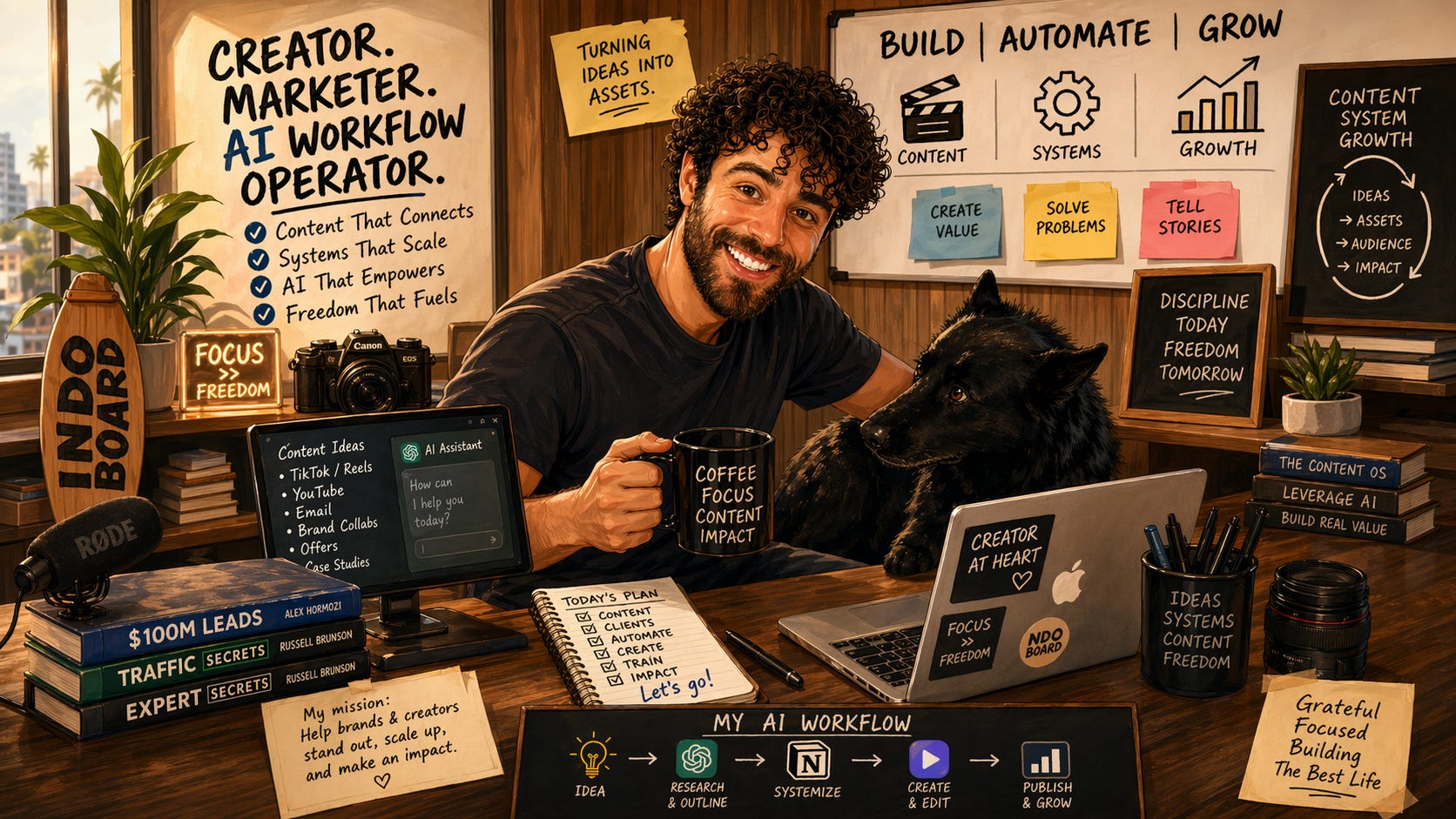
Prompt #5: A caricature of you.
[UPLOAD A PHOTO OF YOU] Create a caricature of me and my job based on everything you know about me.
Prompt #6: Create a mockup of Linkedin.
A cinematic 16:9 hyper-realistic shot of a laptop, slightly angled. It's the Linkedin timeline that talks about OpenAI new ChatGPT image model.
Prompt #7: Any recipe, beautiful.
Image of "How to make almond croissant: step-by-step guide".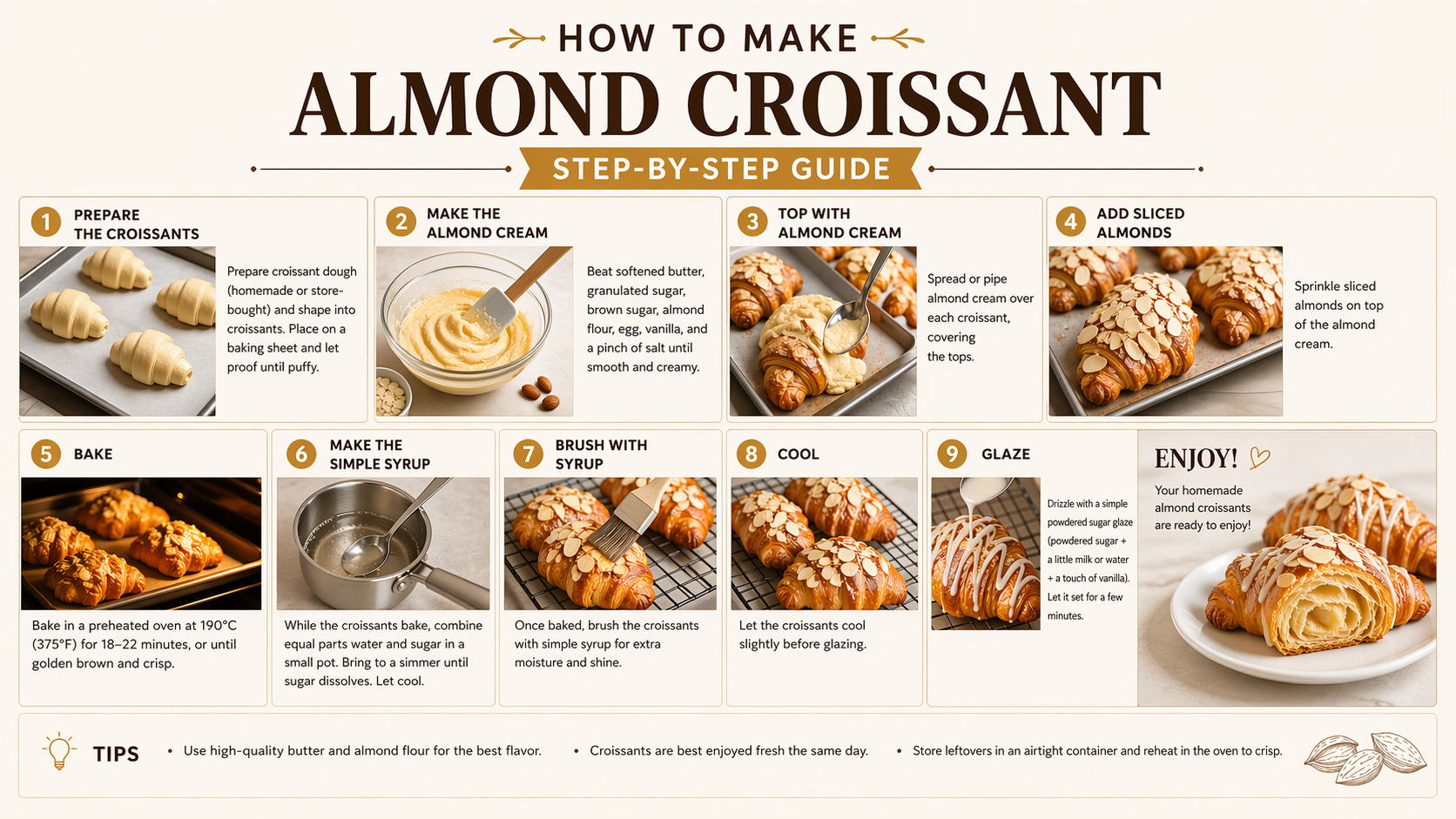
A 16:9 hyper-realistic shot of a creative agency presentation room. Mood is warmer, more lived-in: sketches on walls, laptops, coffee cups. The main screen shows a designed slide with editorial composition: layered typography, overlapping elements, hierarchy. Text reads: 'we had no idea what to present' 'so we asked AI' 'client loved it' 'we’re still confused'. Natural daylight entering the room, soft magenta shadows. Realistic screen rendering, no distortion.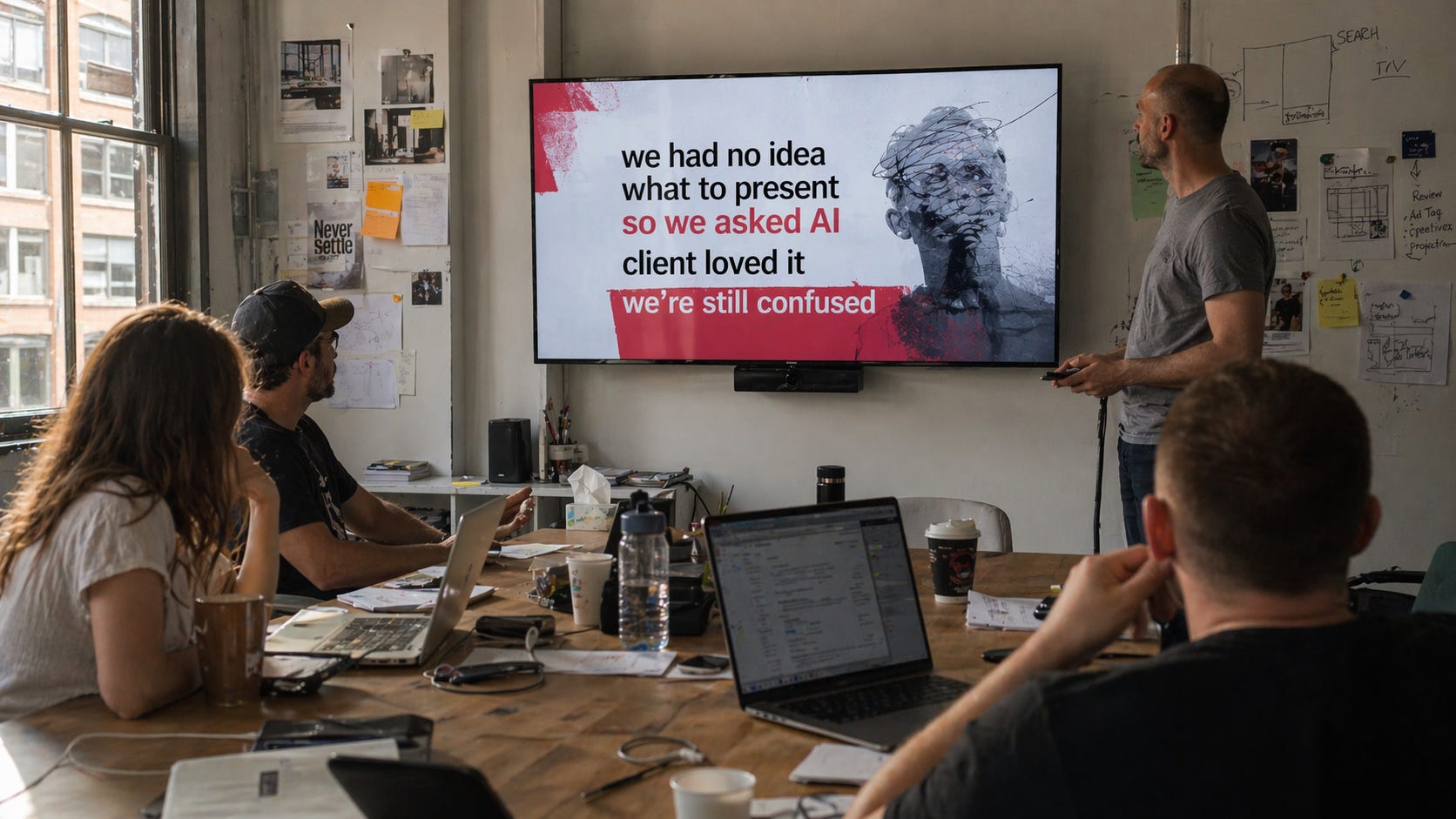
Prompt #9: Fake iMessage message.
A photo (using an iPhone 7) of an iPhone 7 showing an iMessage conversation between me & my mom scolding me because I played video games last night until late. And I'm very sorry using old-school emojis. 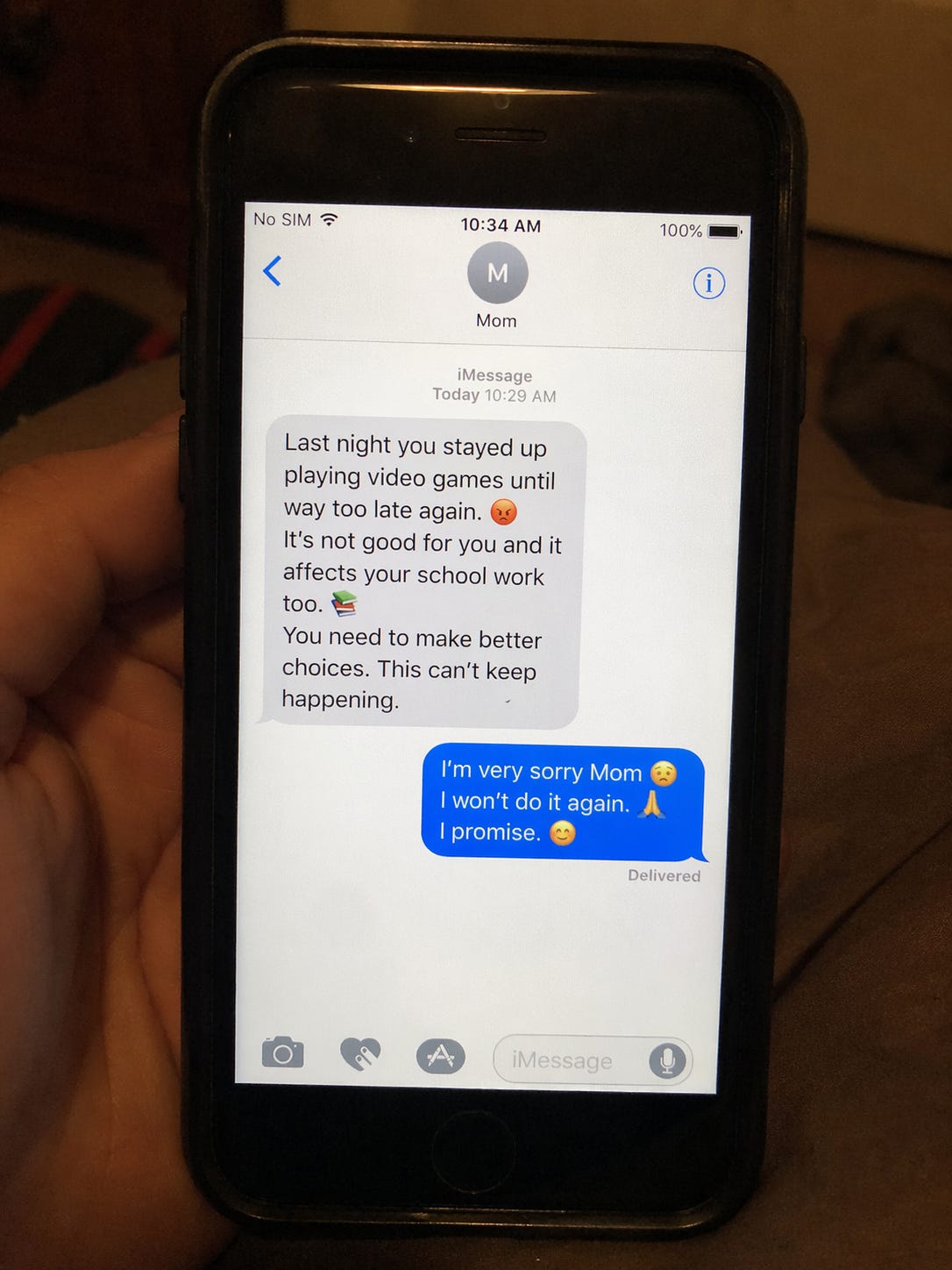
Prompt #10: A full course on Newton.
create a series of images of college-level textbook pages summarizing and demonstrating newtons math and major science contributions.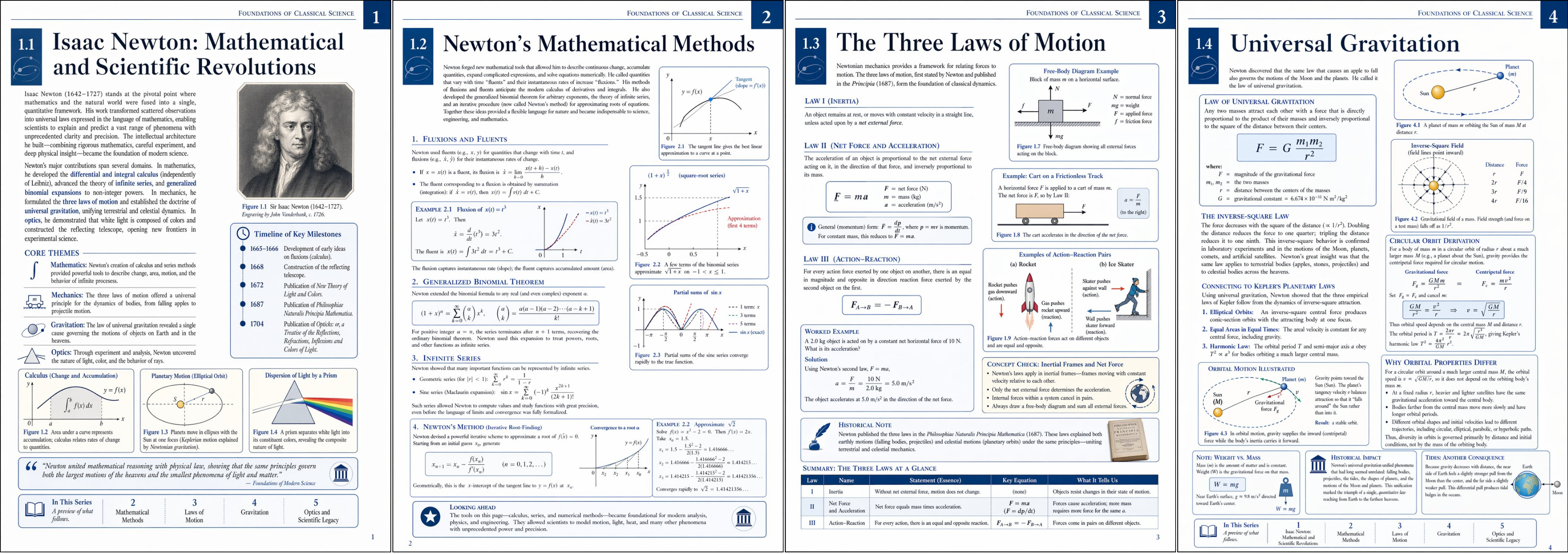
Prompt #11: A map of NYC like Ghibli.
NYC Stereotype map by district in Ghibli.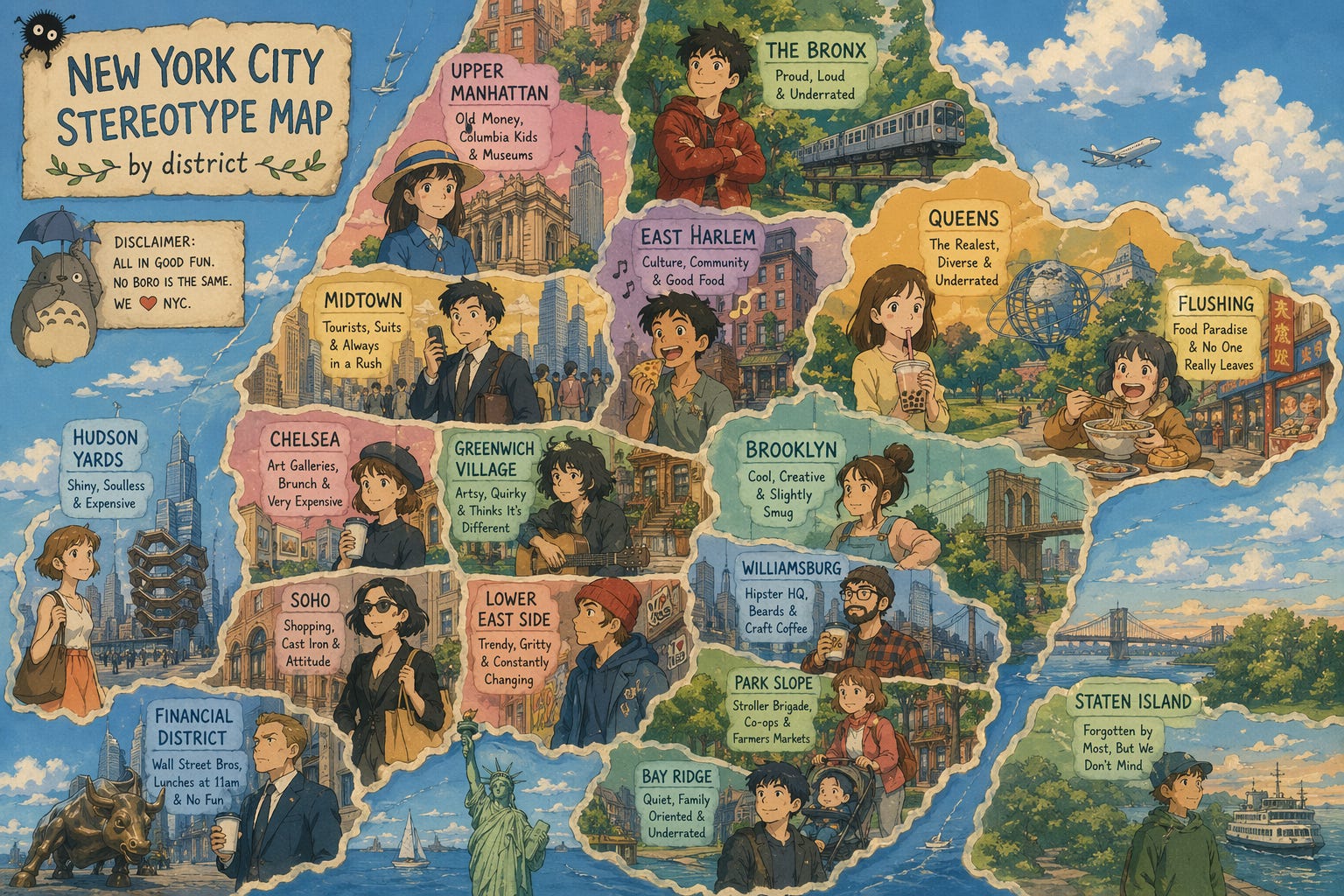
Prompt #12: Nostalgic photo filter.
[UPLOAD A PHOTO] Apply a nostalgic filter on it like I shot this with a disposable camera and a big flash; it's nighttime.

This is the part I think most people will use.
Uploading spreadsheets into AI has always been clunky.
That’s how I used to make Excel with AI:
-
I would go to Claude Cowork. Ask for an XLSX. file.
-
I then open a Google Sheet and upload the one from Claude.
-
And I take it from there, without being able to use AI to modify it.
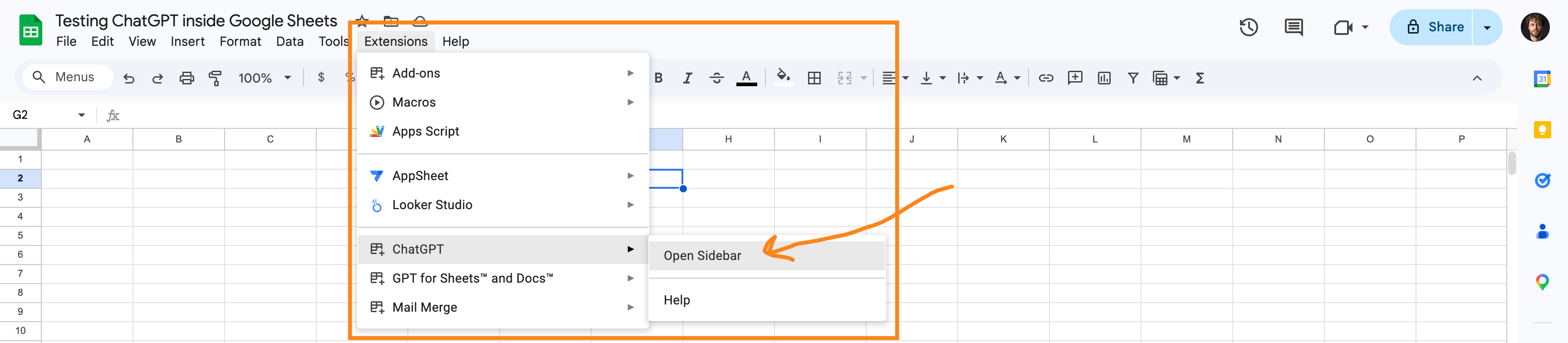
ChatGPT just released an extension inside Google Sheets. It’s different:
Open a real sheet, and simply open ChatGPT on the side:
And then prompt it on the left side chatbot:
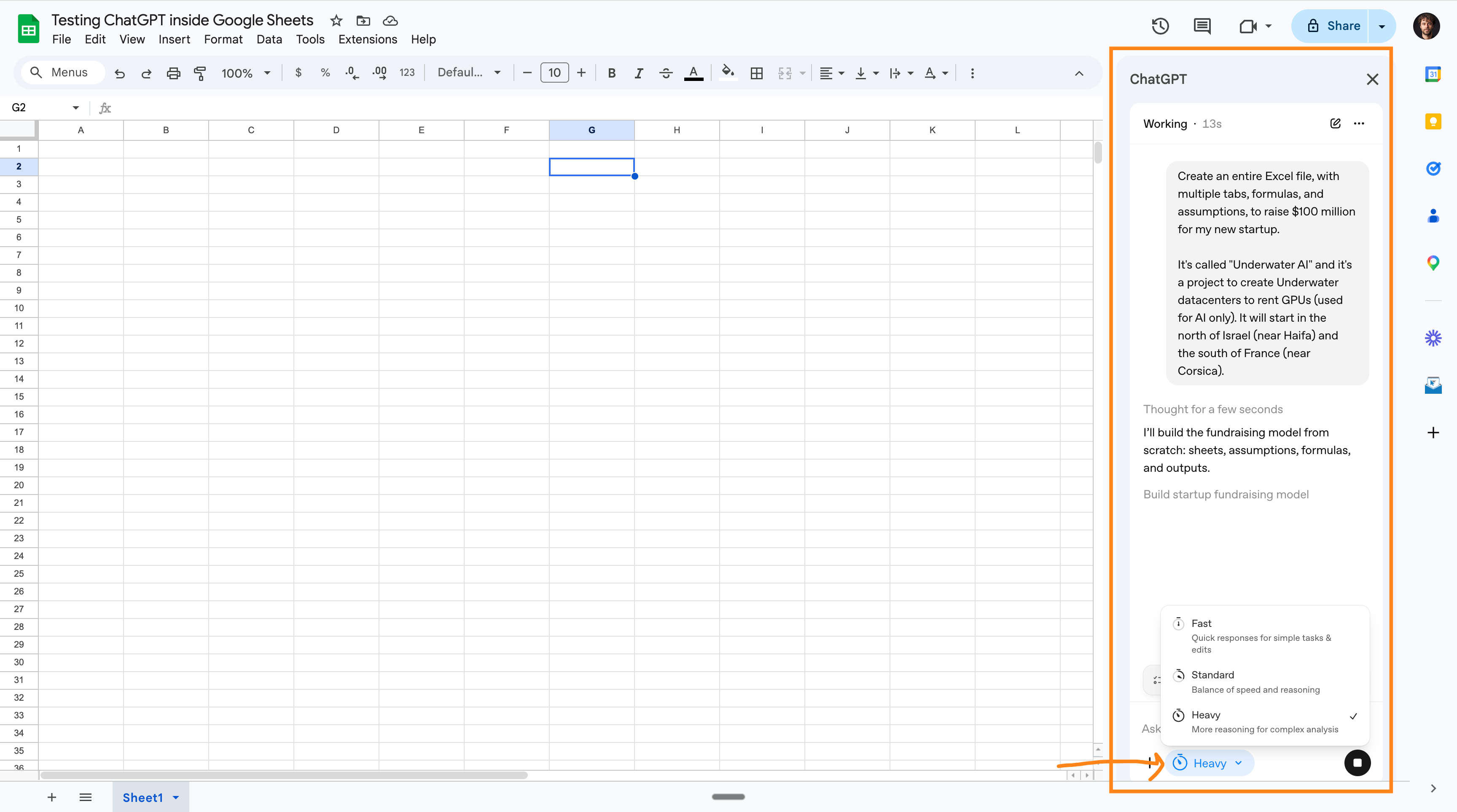
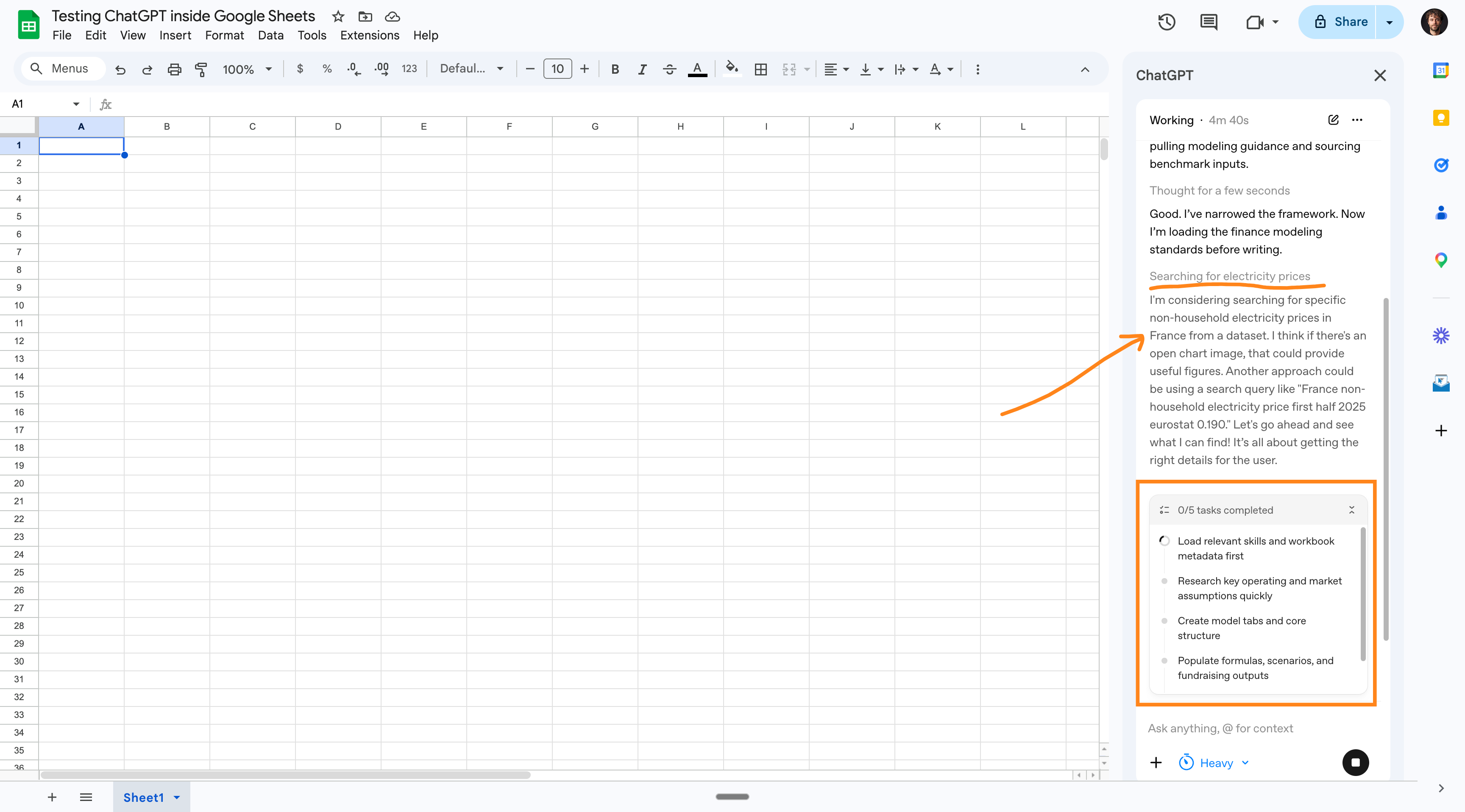
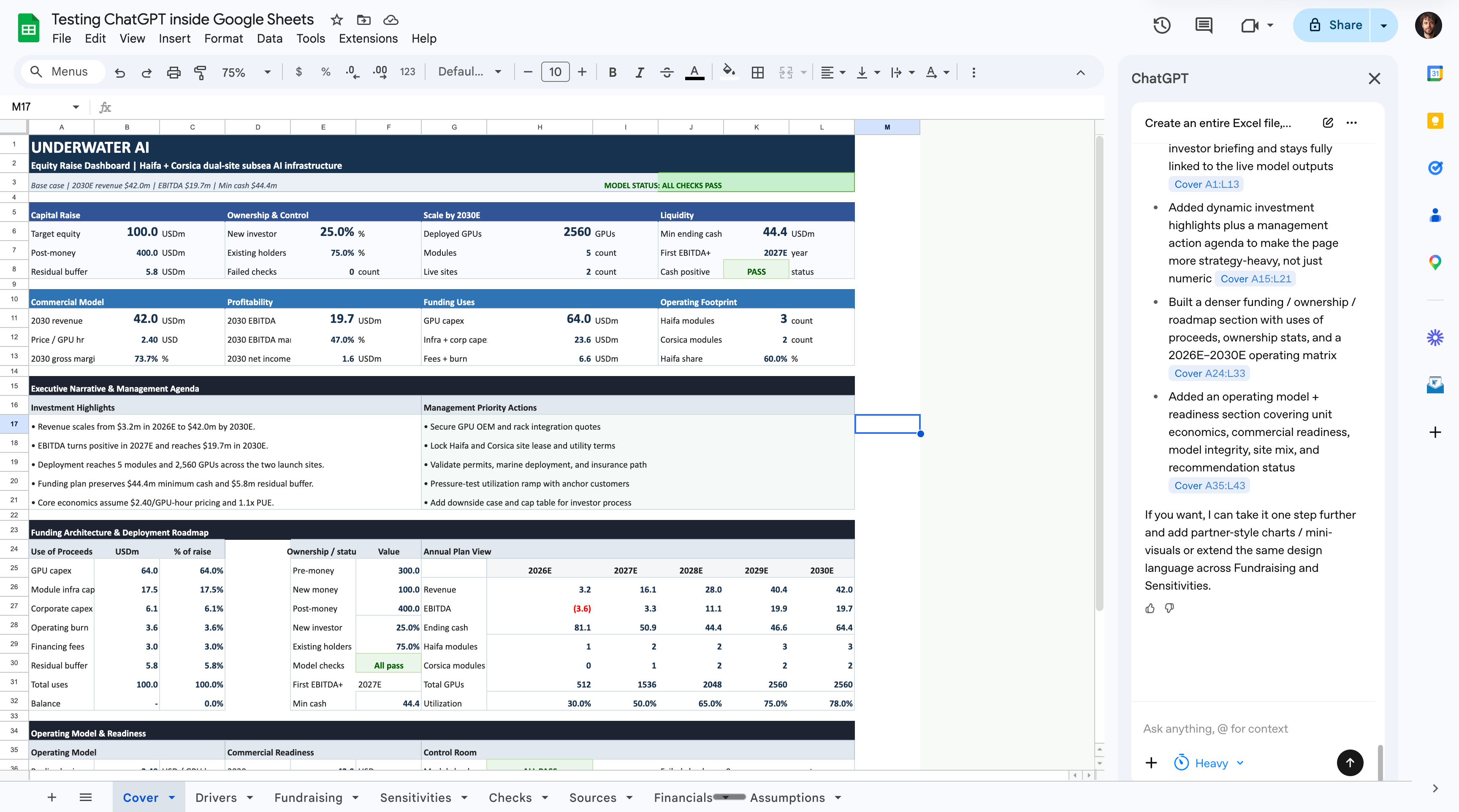
Here’s my favorite prompt template inside Google Sheets:
Create a complete Google Sheets workbook for: [spreadsheet goal].

Context:
[who will use it, what decision/task it supports, and any data/constraints to use]

Build it in the current spreadsheet. Create or rename tabs as needed. Make it usable immediately: clear inputs, linked formulas, summaries, checks, and a clean executive-ready layout.

Rules:
- Use formulas wherever values should update.
- Hardcode only user-provided inputs or clearly labeled assumptions.
- Add a dashboard/summary, input or assumptions area, working model/data area, outputs, and sanity checks when relevant.
- Make reasonable assumptions instead of asking questions unless a missing detail blocks the build.
- Keep labels concise and make the workbook easy to audit.
That workflow is so good because I love Google Sheets: it’s free, collaborative, syncs up automatically, and super easy to use.
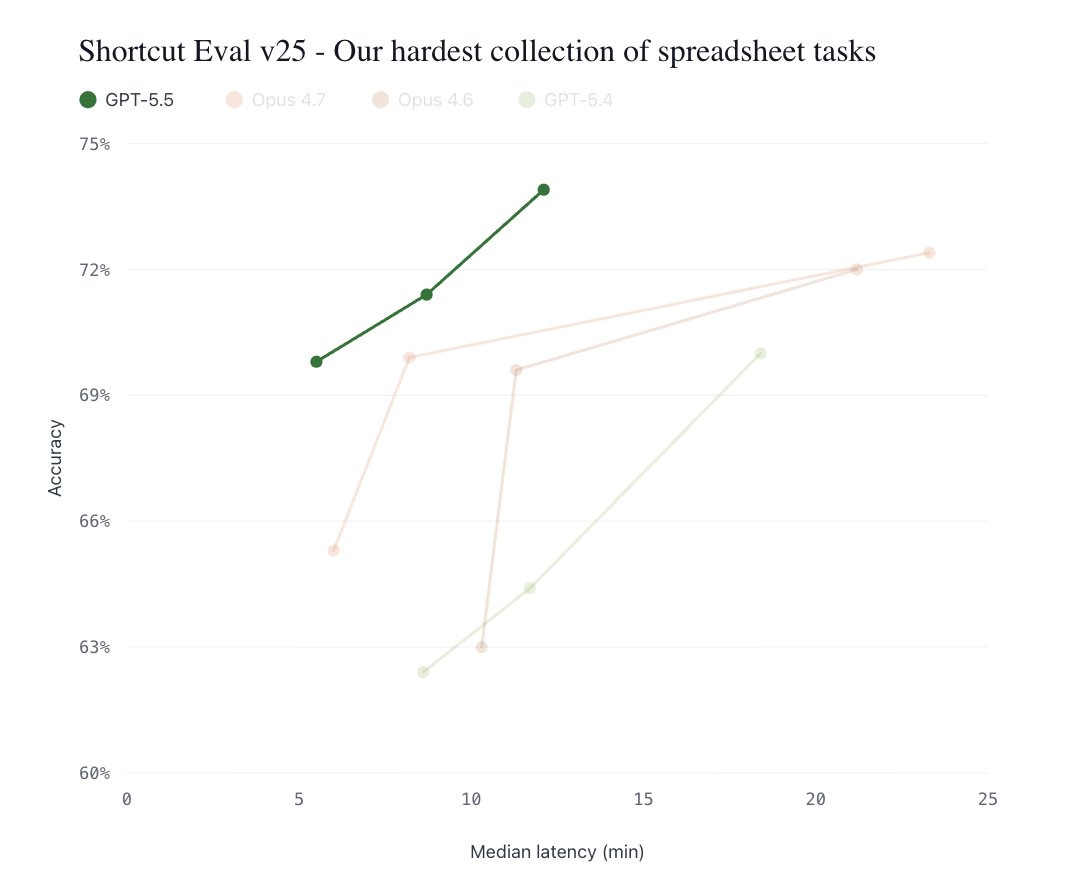
Now you can power it with ChatGPT. And the new ChatGPT-5.5 model is on a completely new level when it comes to spreadsheets:
I used Grok for search.
I’m now removing it from the recommended stack for most people (for now).
No one needs another tool to manage.
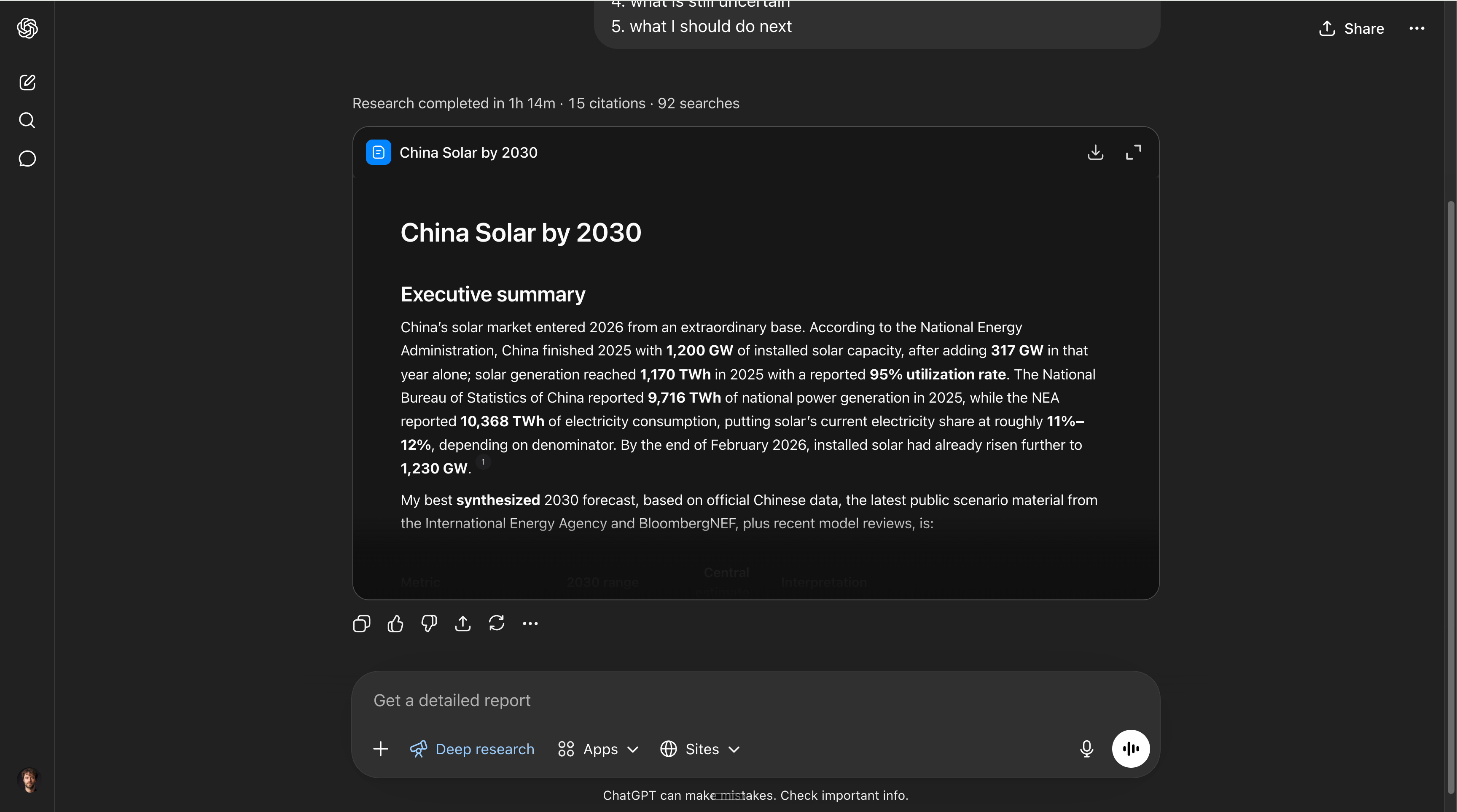
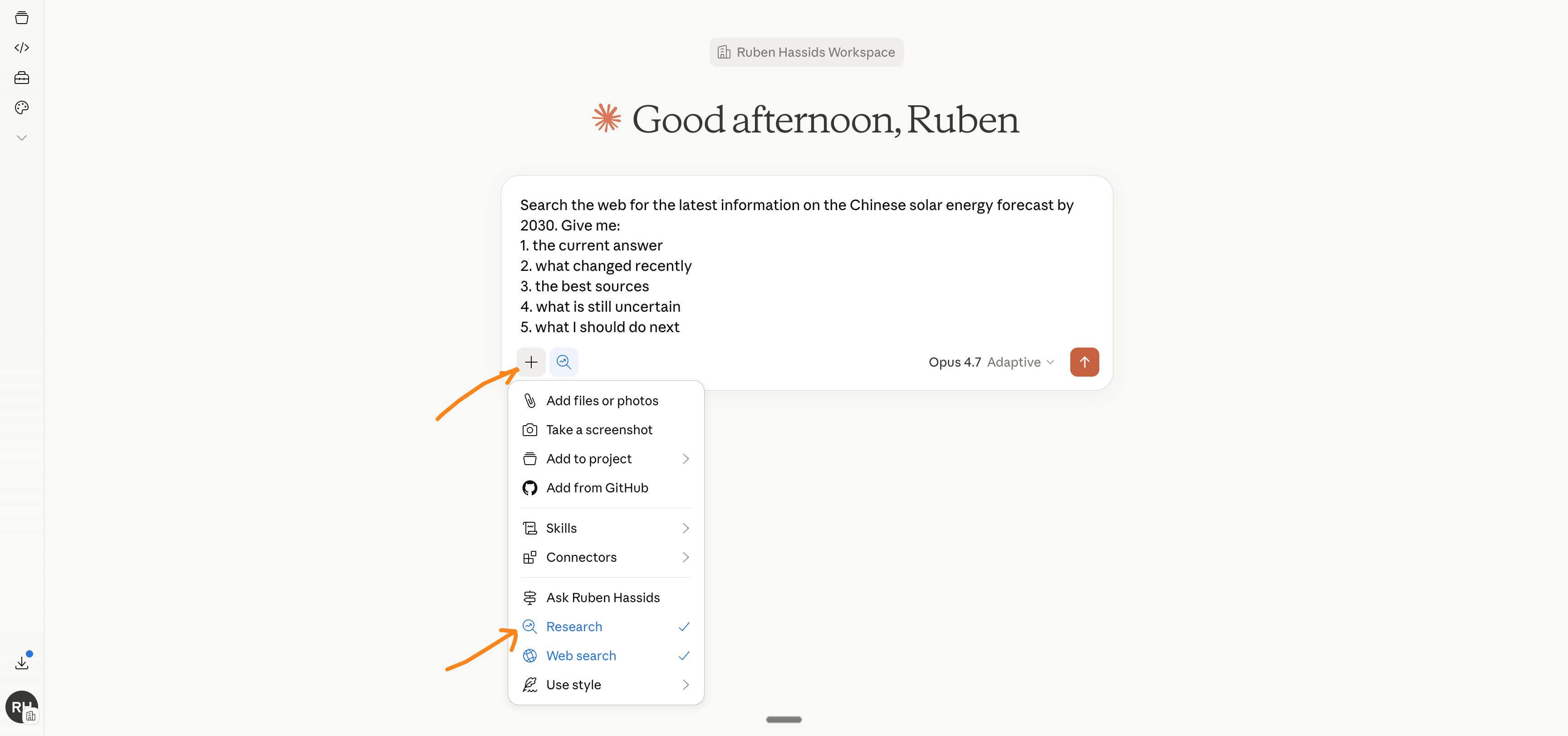
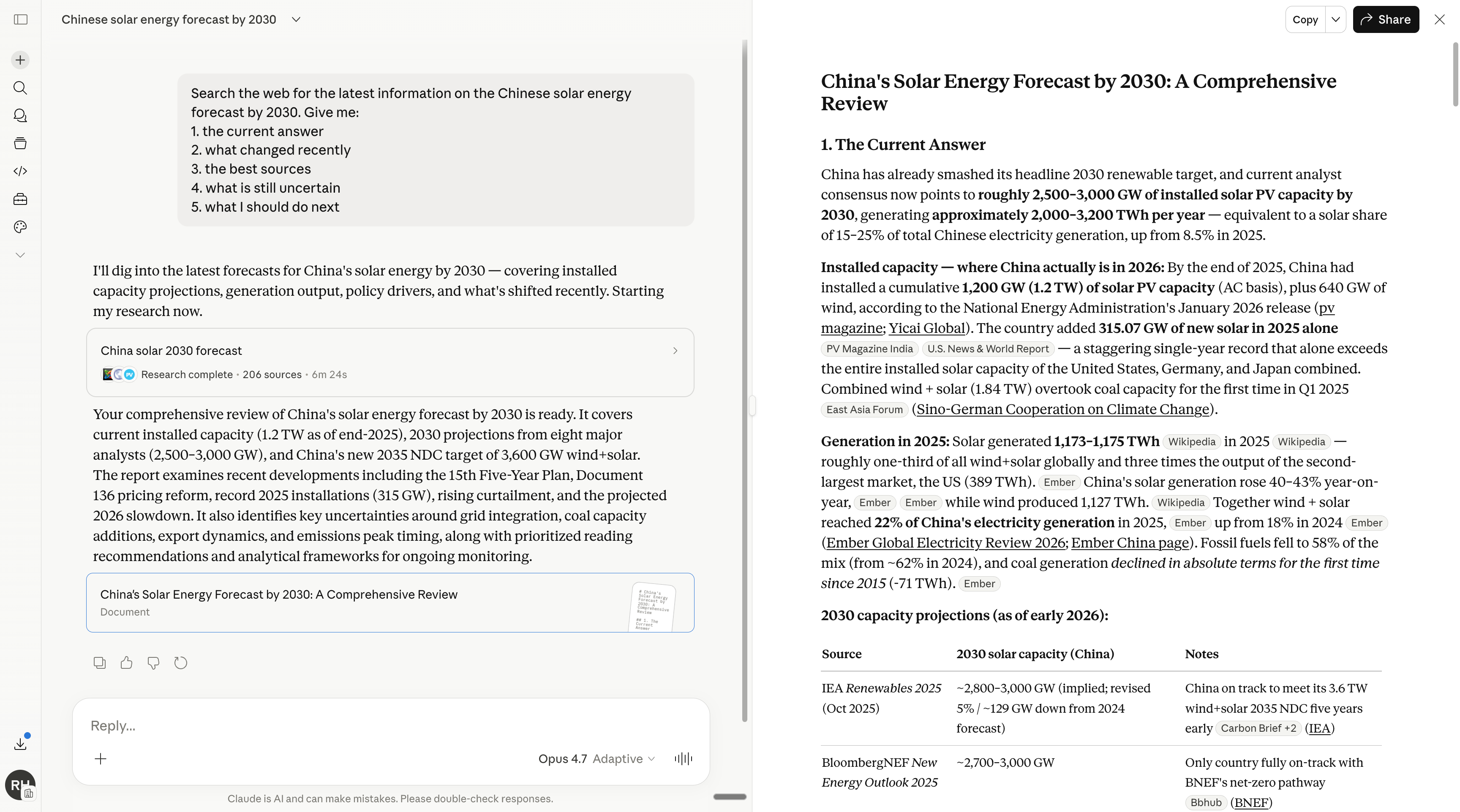
This is my favorite deep research prompt:
Search the web for the latest information on [TOPIC].

Give me:
1. the current answer
2. what changed recently
3. the best sources
4. what is still uncertain
5. what I should do next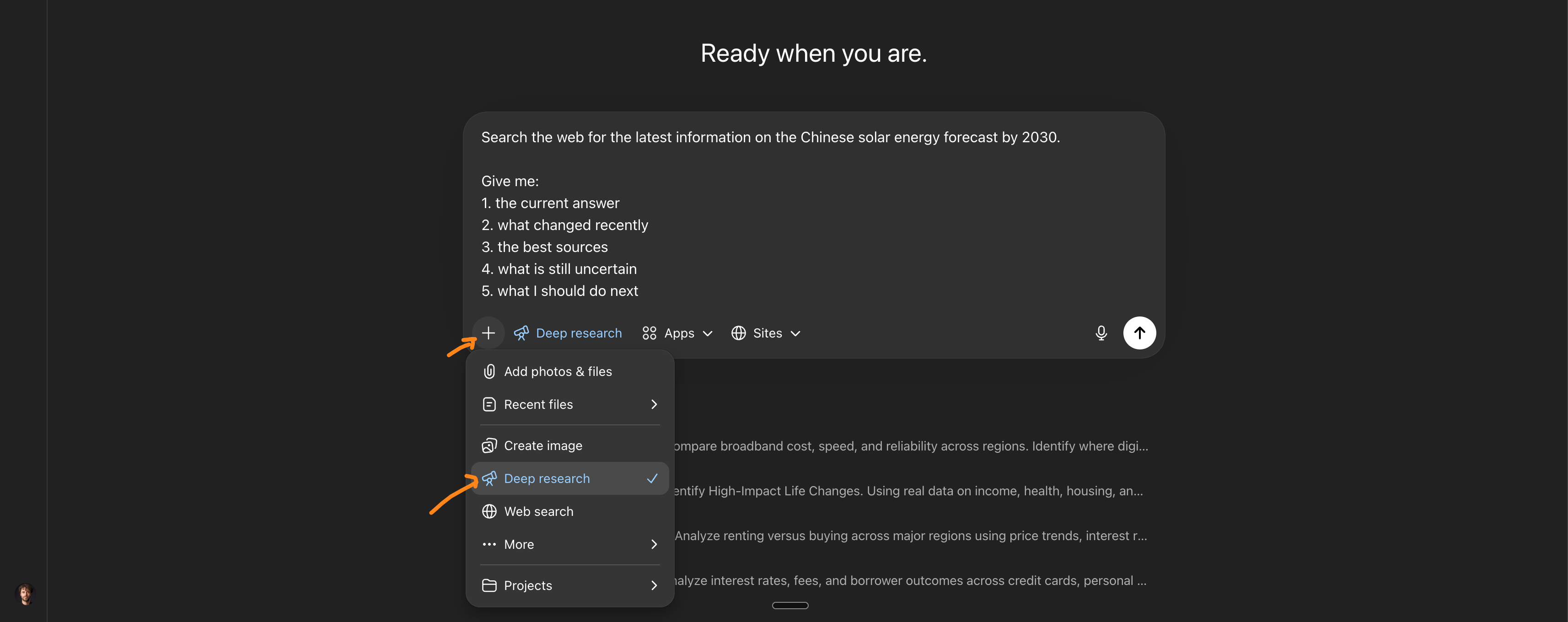
But if you really (really) want to do it with Claude, here’s how:
Gemini still has one job in my stack:
Languages.
I’m in Israel, so I notice the differences in Hebrew (but I don’t speak it well yet).
AI is terrible with small languages because there is not enough text from this language on the internet. The sentence either sounds native or it sounds like someone dragged English through a machine.
If you have to choose the best AI and you work exclusively in your native language, maybe you should consider Gemini. Or the one that you feel is best.
And if you can’t tell → then Claude/ChatGPT, both preferably.
Gamma stays.
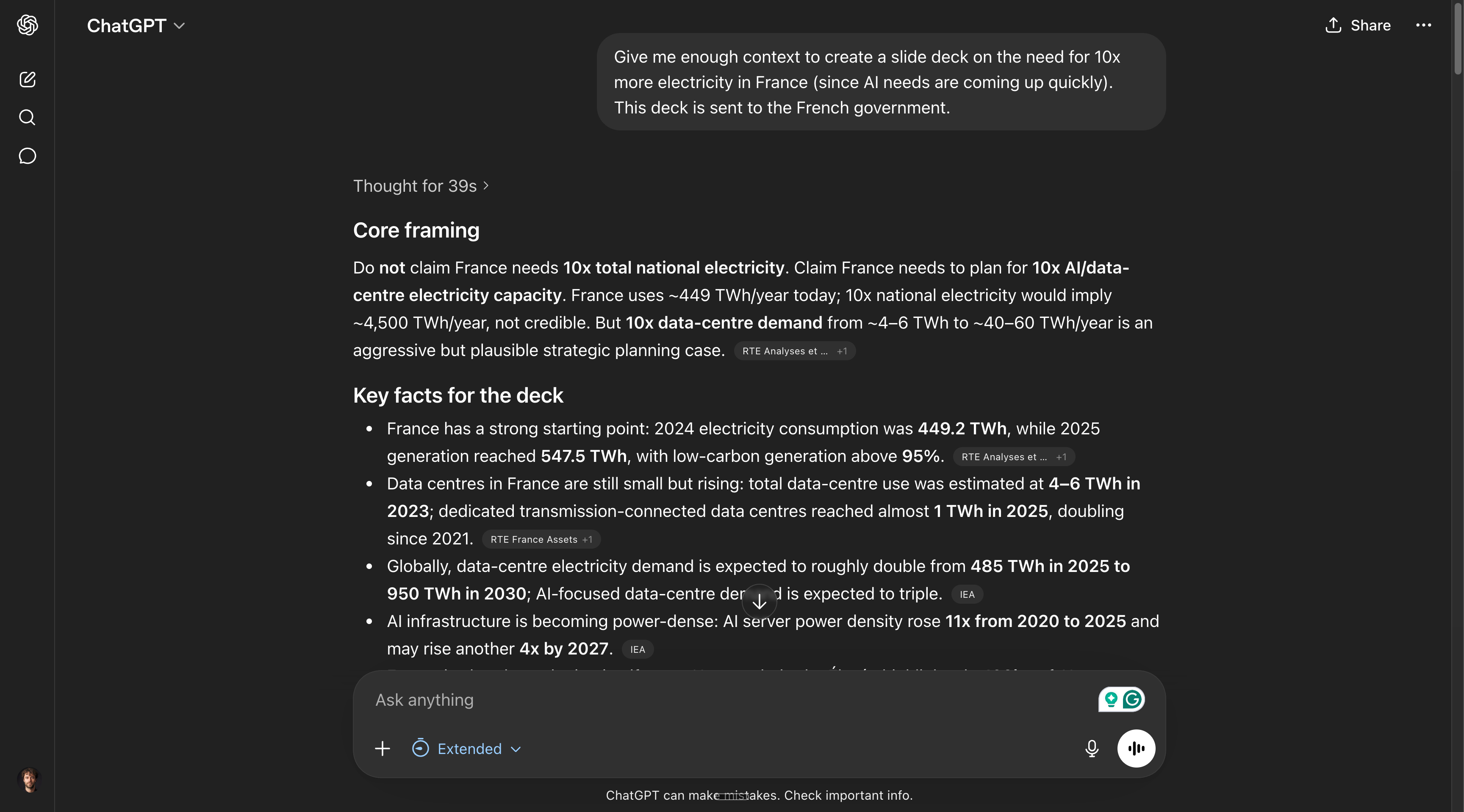
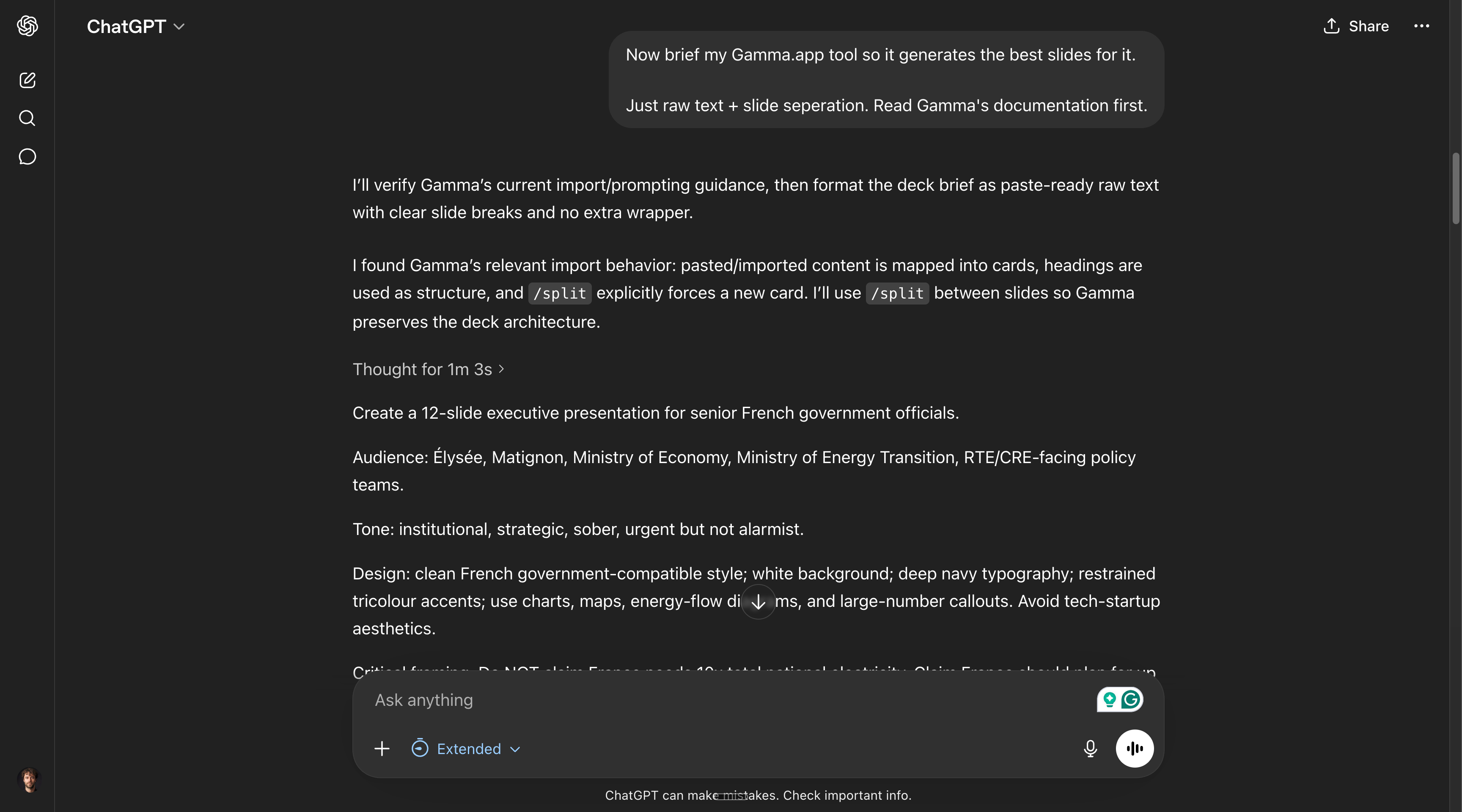
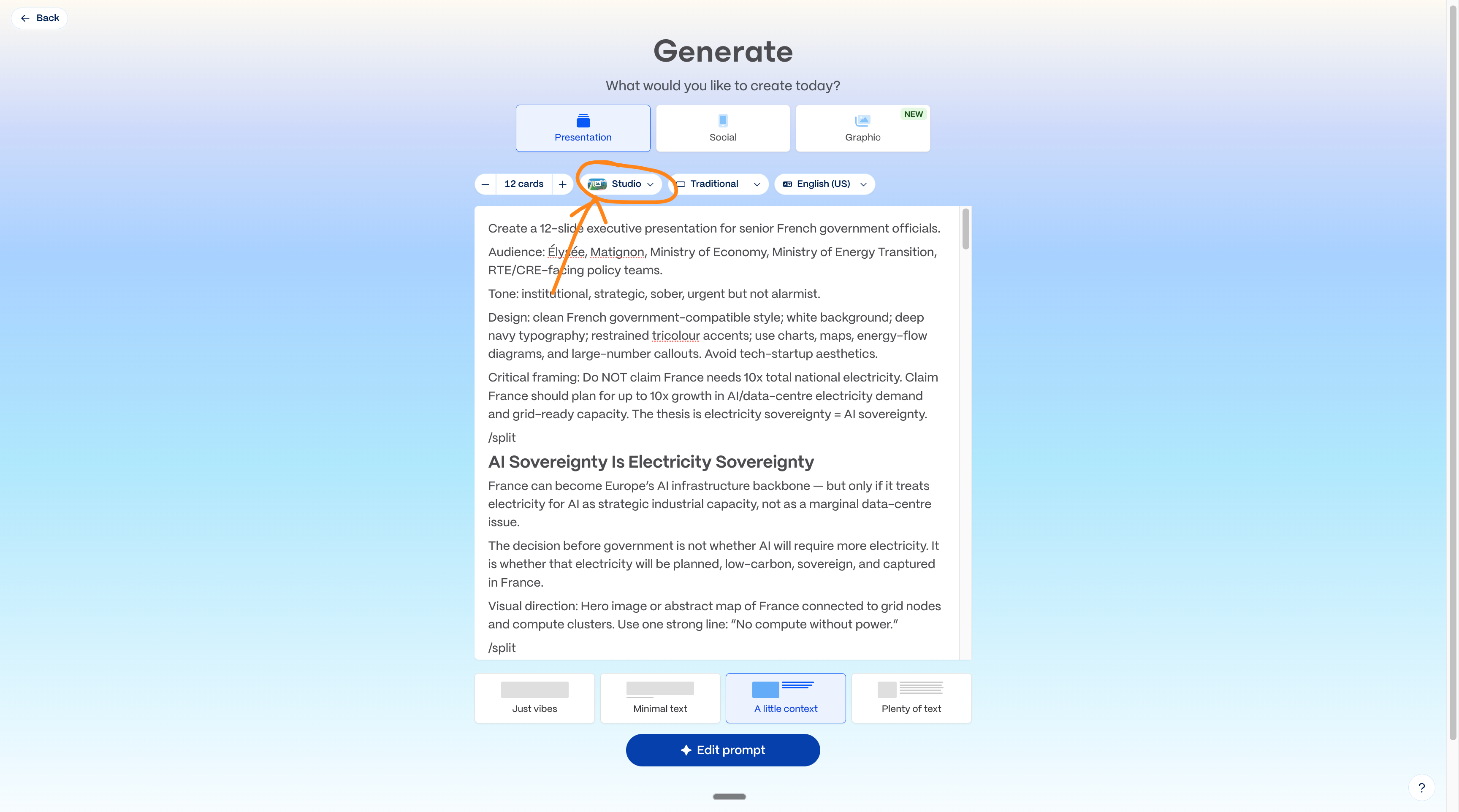
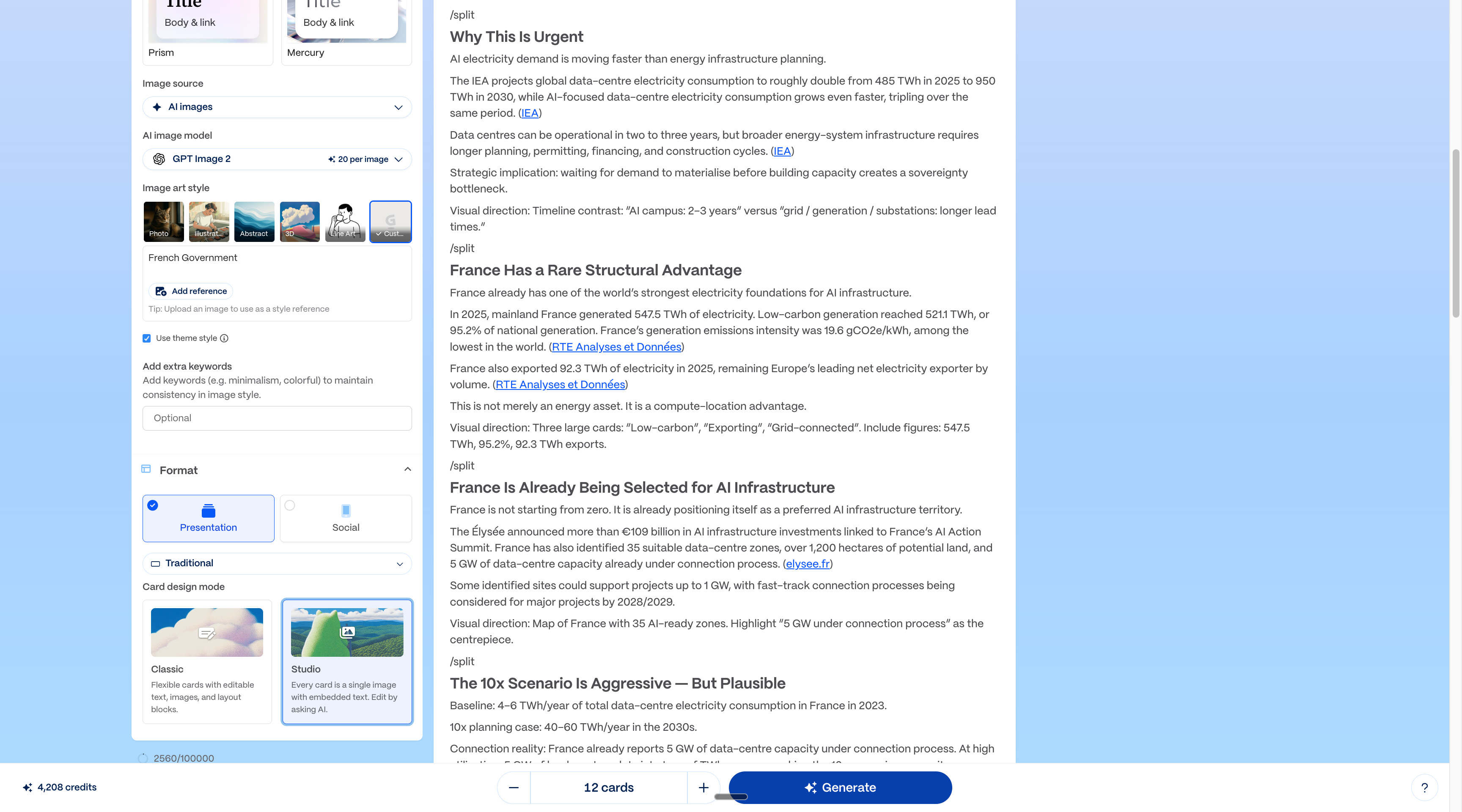
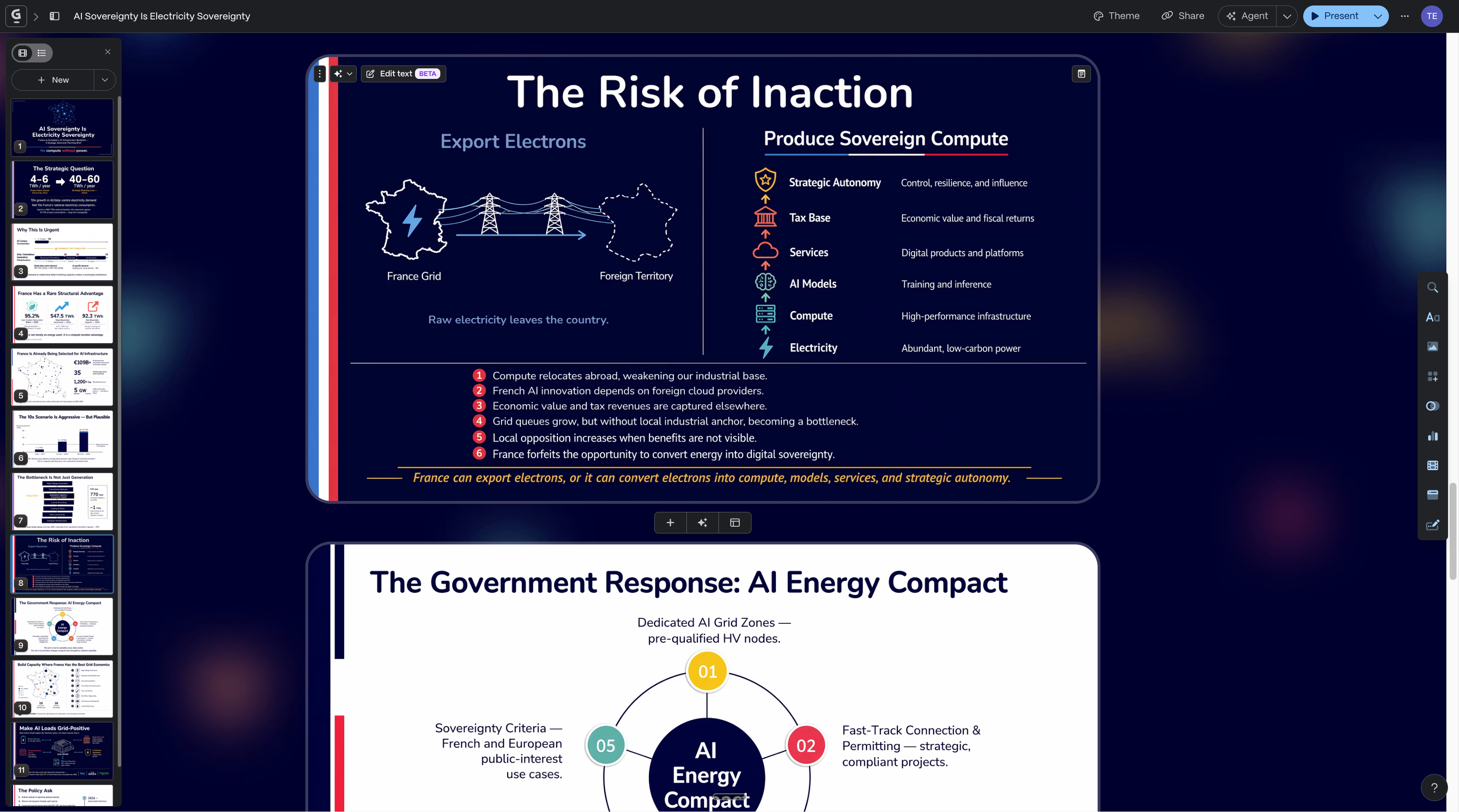
→ I still don’t want to build decks from scratch.
→ But I also don’t start in Gamma.
I start in ChatGPT (best at searching) like this:
Even if the new ChatGPT-5.5 is (supposedly) better than Claude at writing, I prefer Claude. And the reason why is Claude Cowork.
If you had only to read two guides on it, make it these:
Don’t test everything. You won’t.
Pick 3.
✦ If you write: → set up Claude Cowork.
✦ If you touch spreadsheets: → install ChatGPT in Google Sheets.
✦ If you make visuals: → test ChatGPT Images.
✦ If you work across languages: → test Gemini.
✦ If you make decks: → test Gamma.
You want one AI.
Companies want one invoice.
Teams want one policy.
I understand why. But models are moving too fast.
In December, Claude Opus 4.5 changed my workflow. Then Claude Code. Then Cowork. Then Opus 4.6. So for a few months, the answer was easy:
Claude.
Now ChatGPT 5.5, Images, ChatGPT + Google Sheets, search, and Codex look like the next wave. Maybe OpenAI turns Codex into a Cowork-style for everyone.
And guess who wants a super app too?
Gemini (Google), Copilot (Microsoft), and Grok (xAI, SpaceX).
Maybe Gemini finally turns Google Workspace into the work system it should already have. Maybe xAI does something fantastic with SpaceX, xAI, and Cursor. Maybe Microsoft will finally deliver a good Copilot to its 10 million users.
Models change every 2 months now. I’m not prone to hype. You know that.
But my role is to tell you when a massive switch happens.
And one is happening right now.
PS: This newsletter is free because you guys are sharing it.
On every one of my free articles, I get over 1,000+ shares!!
The best kind of sharing is with your colleagues in your group chat (on Teams or Slack). You’re helping them to adopt AI, and you help me spread the word!
And if it’s the first time you’re here, subscribe to never miss the next: